
tl;dv
AI meeting notetaker for Zoom, Google Meet, and Teams that records, transcribes, and summarizes with CRM sync.
Updated 2026-05-01
Yes, within limits. tl;dv runs a free tier with paid plans above it.
Listed pricing: Freemium — Free unlimited recording; Pro from $20/user/mo.
Overview
tl;dv is an AI meeting recorder that joins your Zoom, Google Meet, or Microsoft Teams calls and handles the entire note-taking workflow — recording, transcription, summary, and follow-up tracking. What makes it stand out in a crowded field of meeting assistants is its genuinely unlimited free tier: you can record and transcribe as many meetings as you want without hitting a minutes cap, which is unusual when competitors like Otter.ai and Fireflies.ai restrict free usage heavily.
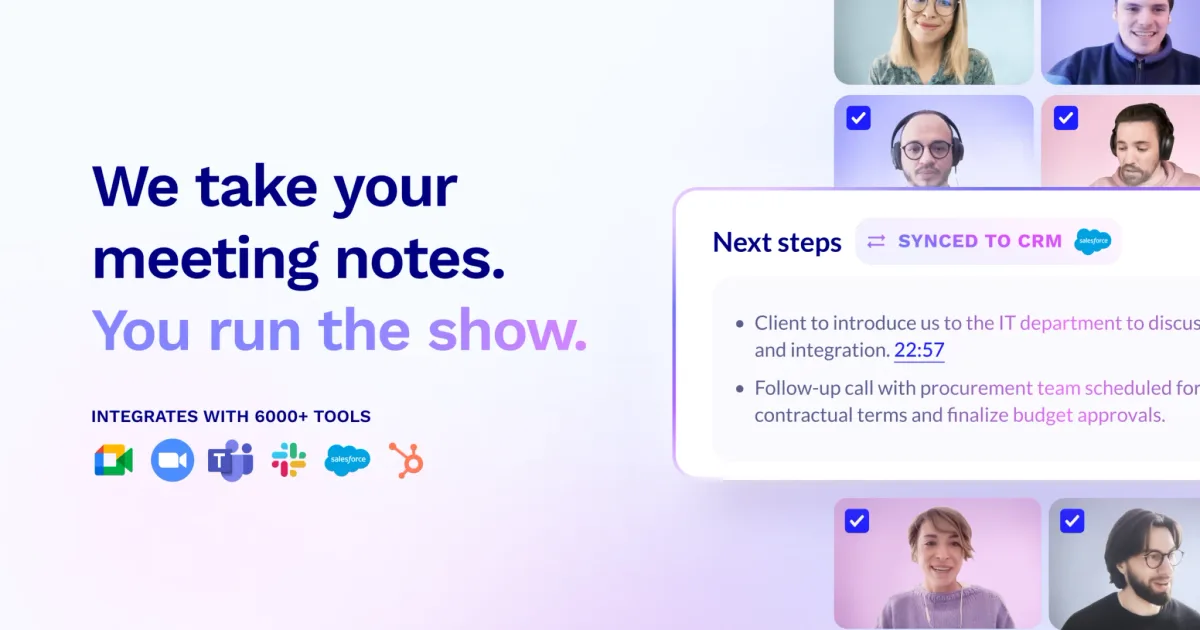
The AI layer goes beyond basic transcription. tl;dv generates timestamped highlights you can clip and share, pulls out action items and key decisions, and lets you tag teammates at specific moments in the conversation. For sales teams, the CRM integration automatically logs meeting notes and insights to Salesforce, HubSpot, or other platforms — eliminating the copy-paste workflow that eats into selling time.
Where tl;dv gets particularly interesting is its multi-meeting intelligence. Rather than treating each call in isolation, it can surface patterns and insights across your entire meeting history — recurring objections in sales calls, frequently discussed topics, or follow-ups that keep slipping. With over 2 million users and a 4.7/5 average rating, it has quietly become one of the most adopted meeting AI tools, largely because that free tier removes the usual friction of getting a whole team onboard.
Is tl;dv free?
Yes, within limits. tl;dv runs a free tier with paid plans above it.
What the free tier covers: Unlimited meeting recordings and transcriptions with AI summaries and timestamped highlights.
Listed pricing: Freemium — Free unlimited recording; Pro from $20/user/mo.
Pricing on this page has not been re-verified. The entry was last edited on , and no separate pricing check has been run since. Treat the figures as a record of what was published then and confirm on the official site.
What the free tier leaves out
Read straight off the plan list below. Vendors move features between tiers, so check the current split before you pay.
- Pro $20/user/mo Advanced AI insights, CRM integrations, custom templates, recording downloads
- Business $59/user/mo Multi-meeting intelligence, playbooks, coaching insights, advanced analytics
- Enterprise Custom SSO, custom data retention, dedicated support, advanced admin controls
tl;dv pricing
| Plan | Price | What's included |
|---|---|---|
| Free Forever | Free | Unlimited meeting recordings and transcripts, AI summaries, timestamped highlights |
| Pro | $20/user/mo | Advanced AI insights, CRM integrations, custom templates, recording downloads |
| Business | $59/user/mo | Multi-meeting intelligence, playbooks, coaching insights, advanced analytics |
| Enterprise | Custom | SSO, custom data retention, dedicated support, advanced admin controls |
Unlimited meeting recordings and transcripts, AI summaries, timestamped highlights
Advanced AI insights, CRM integrations, custom templates, recording downloads
Multi-meeting intelligence, playbooks, coaching insights, advanced analytics
SSO, custom data retention, dedicated support, advanced admin controls
One plan carries no published number: Enterprise, recorded as “Custom”. Nothing is estimated in its place. The vendor's own pricing page is the only source for those figures.
Pricing on this page has not been re-verified. The entry was last edited on , and no separate pricing check has been run since. Treat the figures as a record of what was published then and confirm on the official site.
Is tl;dv worth it?
Worth it for Teams recording Zoom, Meet, or Teams calls who want unlimited free transcription plus automatic CRM logging for sales conversations.
You can test that on the free tier before paying anything. The recorded trade-offs are listed below, and any one of them can settle the question on its own.
The 8.7/10 AI Score is an editorial read of published capability, price and shipping pace. Nobody here has hands-on hours with tl;dv. How we verify.
Worth it if
The strengths recorded against this entry.
- Genuinely unlimited free tier — no minutes cap on recordings or transcriptions, unlike most competitors
- Timestamped highlights let you clip and share specific moments instead of sending full recordings
- Strong CRM integrations auto-log meeting notes to Salesforce and HubSpot without manual entry
- Multi-meeting intelligence surfaces patterns across your conversation history, not just individual calls
Not worth it if
Any one of these blocks your use case.
- Pro tier at $20/user/mo is pricier than Otter.ai or Fireflies.ai for the first paid step
- Meeting bot joining calls can feel intrusive to external participants unfamiliar with AI notetakers
- Transcription accuracy drops with heavy accents, background noise, or overlapping speakers
- Advanced analytics and coaching features locked behind the $59/mo Business tier
What sets tl;dv apart
- Unlimited free recordings and transcripts with no minutes cap
- Automatic CRM sync to Salesforce and HubSpot without manual entry
- Timestamped highlights you can clip and share
- Multi-meeting intelligence surfaces patterns across your call history
Key features
Meeting Recording
Automatically joins and records Zoom, Google Meet, and Microsoft Teams calls via calendar integration. Produces full audio/video recordings with cloud storage and easy sharing.
AI Summaries
Generates structured post-meeting summaries with key topics, decisions, and action items. Supports multiple summary formats and custom templates for different meeting types like sales calls, standups, or interviews.
CRM Sync
Automatically pushes meeting notes, action items, and conversation insights to Salesforce, HubSpot, and other CRMs. Maps meeting data to deals and contacts without manual data entry.
How it compares
| Tool | Best for | Pricing | Score |
|---|---|---|---|
| tl;dv | Teams recording Zoom, Meet, or Teams calls who want unlimited free transcription plus automatic CRM logging for sales conversations. | Freemium — Free unlimited recording; Pro from $20/user/mo | 8.7/10 |
| Grok Bot vs Grok Bot → | Anyone who wants an always-on teammate that signs into real apps, finishes work end to end, and only pings you for approval. | Included on eligible Cursor ($20+/mo), SuperGrok ($30+/mo), and Cursor Teams ($40+/seat/mo) plans. Product page also lists a Get started for free path. | 9.6/10 |
| Muse | — | Free with usage limit (US); Power $20/mo, Maximum $100/mo | 9.2/10 |
| Notion AI vs Notion AI → | Notion users who want an assistant that already knows their pages, databases, and documents for summaries and answers. | From $10/mo | 9/10 |


Compare head-to-head
Related reading

Anthropic Traced More Than 23 Million Exchanges
Anthropic attributed more than 23 million exchanges to Moonshot between May and July in its September 2026 threat intelligence report.

ChatGPT for Financial Services: What Shipped, Pricing & Who It's For
OpenAI launched a tailored ChatGPT Work experience for investment bankers and equity researchers with GPT-6 Astra, built-in PitchBook/Daloopa/LSEG data, citations, and sales-quoted pricing.

DeepSeek Flash KV Cache at 890 Bytes per Token
DeepSeek V4.1-Flash posts 90.6 on Terminal-Bench 2.1 against GPT-5.6 Sol at 88.8 while cutting KV cache to 890 bytes per token.
Ready to try tl;dv?
Head to the official site to start with tl;dv — pricing and plans are listed above.
Visit tl;dv