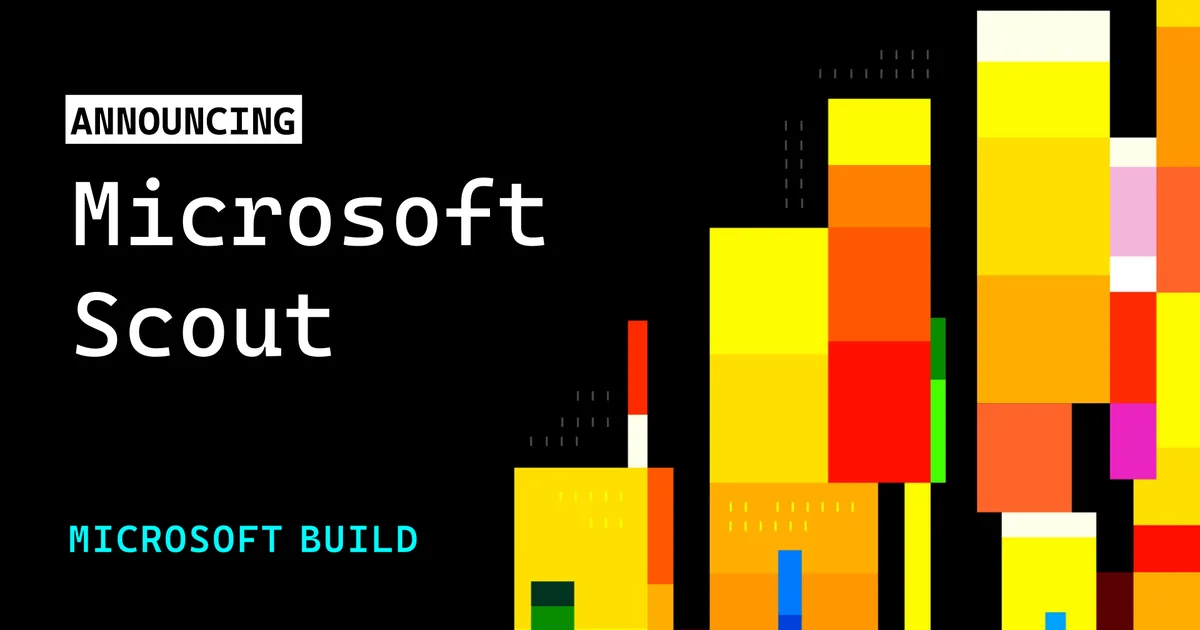

Microsoft Scout
Always-on personal AI agent from Microsoft that autonomously handles tasks across Microsoft 365 apps, your browser, files, and shell in the background.
Updated 2026-06-12
No free tier is documented for Microsoft Scout.
Listed pricing: Private preview (Frontier program + GitHub Copilot license required).
Overview
Microsoft Scout is Microsoft's answer to the autonomous AI agent wave — an always-on personal assistant that doesn't just respond to prompts but proactively works through multi-step tasks across your Microsoft 365 environment. Announced at Build 2026 on June 2, Scout goes beyond the copilot paradigm by operating in the background, orchestrating actions across Word, Excel, Outlook, Teams, your browser, and even the shell without requiring constant user supervision.
The OpenClaw-inspired architecture is the interesting part. Rather than a monolithic model trying to do everything, Scout decomposes tasks into sub-goals and delegates them to specialized agents that understand specific apps and workflows. Ask it to "prepare the quarterly review" and it can pull data from Excel, draft a summary in Word, schedule the meeting in Outlook, and compile a PowerPoint deck — all autonomously, reporting back when it's done or when it needs a decision from you. Microsoft Graph integration means it has deep context about your org's data, relationships, and workflows.
Scout is currently in private preview, available only through Microsoft's Frontier program with a GitHub Copilot license requirement. There's no public pricing yet, and availability is limited to select enterprise customers. This is very much a preview-stage product — the autonomous agent space is still maturing, and real-world reliability of multi-step task chains remains the central question for any tool in this category. If Microsoft 365 Copilot is the assistant that helps when you ask, Scout is the one that goes off and does the work for you — in theory. Whether that theory holds up at enterprise scale is what the preview period will reveal.
Is Microsoft Scout free?
No free tier is documented for Microsoft Scout.
Listed pricing: Private preview (Frontier program + GitHub Copilot license required).
No figure is estimated here for what is not published. Check Microsoft Scout's own site for the current terms.
Pricing on this page has not been re-verified. The entry was last edited on , and no separate pricing check has been run since. Treat the figures as a record of what was published then and confirm on the official site.
Microsoft Scout pricing
| Plan | Price | What's included |
|---|---|---|
| Private Preview | Not yet public | Available via Microsoft Frontier program enrollment; requires GitHub Copilot license. No public dollar pricing announced. |
Available via Microsoft Frontier program enrollment; requires GitHub Copilot license. No public dollar pricing announced.
One plan carries no published number: Private Preview, recorded as “Not yet public”. Nothing is estimated in its place. The vendor's own pricing page is the only source for those figures.
Pricing on this page has not been re-verified. The entry was last edited on , and no separate pricing check has been run since. Treat the figures as a record of what was published then and confirm on the official site.
Is Microsoft Scout worth it?
Worth it for Enterprise Microsoft 365 users in the Frontier preview who want an always-on agent to execute multi-step work across Office apps in the background.
There is no free tier to test it on, and no plan on this entry carries a published price, so the cost question goes to the vendor first. The recorded trade-offs are listed below, and any one of them can settle the question on its own.
The 7.5/10 AI Score is an editorial read of published capability, price and shipping pace. Nobody here has hands-on hours with Microsoft Scout. How we verify.
Worth it if
The strengths recorded against this entry.
- Autonomous multi-step task execution across the entire Microsoft 365 suite — a genuine step beyond copilot-style prompt-and-response
- Deep Microsoft Graph integration provides rich organizational context about your files, emails, chats, and calendar for smarter task planning
- Background execution lets you delegate work and move on instead of babysitting a chat interface through each step
- Enterprise-grade security and compliance inherited from the Microsoft 365 platform
Not worth it if
Any one of these blocks your use case.
- Private preview only — no general availability date announced, limited to Frontier program enrollees
- No public pricing yet — likely to carry a significant per-user premium on top of existing Microsoft 365 and Copilot costs
- Autonomous agent reliability is unproven at scale — multi-step task chains can fail silently or produce unexpected results
- Locked to the Microsoft ecosystem — zero utility if your organization runs on Google Workspace or other platforms
What sets Microsoft Scout apart
- Decomposes tasks into sub-goals delegated to app-specialized agents rather than one monolithic model
- Runs in the background across Word, Excel, Outlook, Teams, browser, and shell without constant supervision
- Deep Microsoft Graph integration gives it context on org files, emails, chats, and calendar
- Inherits Microsoft 365 enterprise security, data residency, and audit logging
Key features
Autonomous Task Execution
Handles multi-step tasks end-to-end without constant supervision. Scout decomposes goals into sub-tasks, executes them across apps, and reports back when complete or when it needs human input.
Cross-App Orchestration
Works across the full Microsoft 365 suite — Word, Excel, PowerPoint, Outlook, Teams — plus the browser and shell. Can chain actions across apps in a single workflow, pulling data from one and acting on it in another.
Background Agent
Runs tasks in the background while you work on other things. Always-on design means Scout can monitor, process, and complete assignments asynchronously rather than requiring an active chat session.
Enterprise Security
Built on Microsoft's enterprise security and compliance stack. Inherits Microsoft 365 data residency, access controls, and audit logging — critical for organizations with strict governance requirements.
How it compares
| Tool | Best for | Pricing | Score |
|---|---|---|---|
| Microsoft Scout | Enterprise Microsoft 365 users in the Frontier preview who want an always-on agent to execute multi-step work across Office apps in the background. | Private preview (Frontier program + GitHub Copilot license required) | 7.5/10 |
| Grok Bot | Anyone who wants an always-on teammate that signs into real apps, finishes work end to end, and only pings you for approval. | Included on eligible Cursor ($20+/mo), SuperGrok ($30+/mo), and Cursor Teams ($40+/seat/mo) plans. Product page also lists a Get started for free path. | 9.6/10 |
| Muse | — | Free with usage limit (US); Power $20/mo, Maximum $100/mo | 9.2/10 |
| Notion AI vs Notion AI → | Notion users who want an assistant that already knows their pages, databases, and documents for summaries and answers. | From $10/mo | 9/10 |
Compare head-to-head
Related reading

Anthropic Traced More Than 23 Million Exchanges
Anthropic attributed more than 23 million exchanges to Moonshot between May and July in its September 2026 threat intelligence report.

ChatGPT for Financial Services: What Shipped, Pricing & Who It's For
OpenAI launched a tailored ChatGPT Work experience for investment bankers and equity researchers with GPT-6 Astra, built-in PitchBook/Daloopa/LSEG data, citations, and sales-quoted pricing.

DeepSeek Flash KV Cache at 890 Bytes per Token
DeepSeek V4.1-Flash posts 90.6 on Terminal-Bench 2.1 against GPT-5.6 Sol at 88.8 while cutting KV cache to 890 bytes per token.
Ready to try Microsoft Scout?
Head to the official site to start with Microsoft Scout — pricing and plans are listed above.
Visit Microsoft Scout