
Krisp
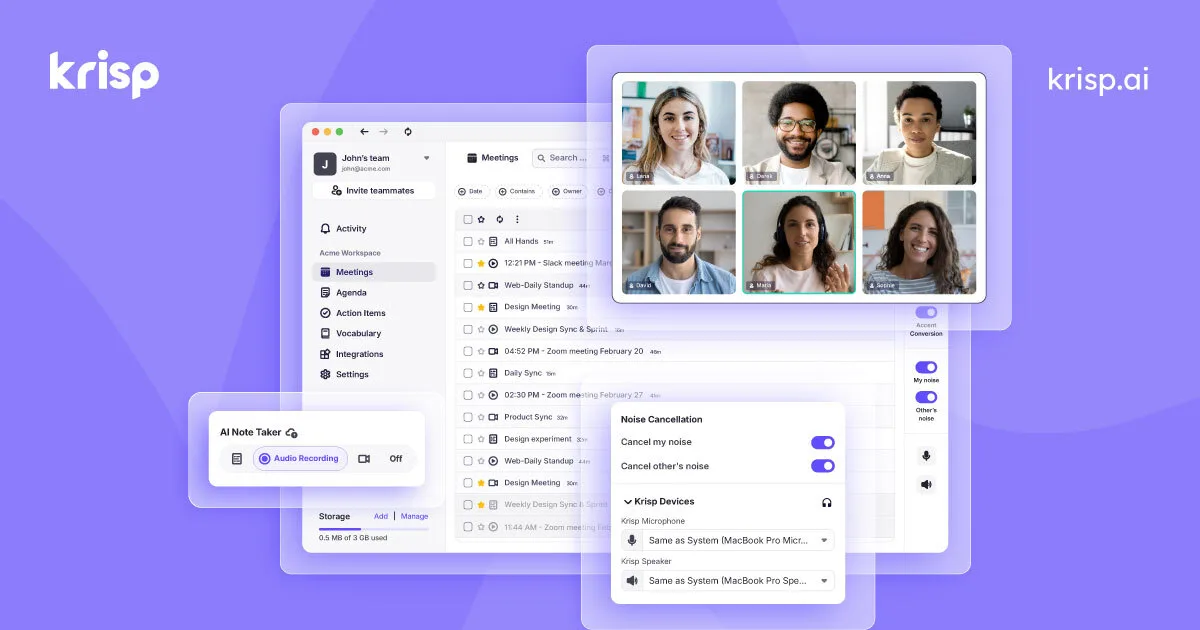
AI-powered noise cancellation that removes background noise from calls in real-time, working across all communication apps at the system level.
Updated 2026-04-30
Yes, within limits. Krisp runs a free tier with paid plans above it.
Listed pricing: Freemium — Free (60 min/day), Pro $8/mo, Enterprise custom.
Overview
Krisp is a desktop app that acts as a virtual microphone and speaker layer between you and whatever communication app you're using — Zoom, Teams, Slack, Google Meet, phone calls, anything. It processes audio in real-time on your device to strip out background noise from both sides of the call. Your barking dog, your neighbor's lawnmower, the coffee shop chatter — Krisp makes it disappear for everyone on the call.
What sets Krisp apart technically is that all audio processing happens locally on your machine using trained neural networks, so your voice data never leaves your device. This matters for enterprise adoption where privacy and compliance are non-negotiable. It works at the OS level as a virtual audio device, which means it's app-agnostic — no plugins, no integrations to set up, just select Krisp as your mic and speaker in any app.
With over 10 million users, Krisp has become one of those invisible productivity tools that remote workers set up once and forget about. The free tier gives you 60 minutes per day of noise cancellation, which covers a reasonable amount of meeting time. The Pro plan removes the time limit and adds call recording, meeting transcription, and AI-generated summaries with action items. Echo cancellation and voice enhancement round out the audio processing suite.
Is Krisp free?
Yes, within limits. Krisp runs a free tier with paid plans above it.
What the free tier covers: 60 minutes per day of AI noise cancellation across all apps.
Listed pricing: Freemium — Free (60 min/day), Pro $8/mo, Enterprise custom.
Pricing on this page has not been re-verified. The entry was last edited on , and no separate pricing check has been run since. Treat the figures as a record of what was published then and confirm on the official site.
What the free tier leaves out
Read straight off the plan list below. Vendors move features between tiers, so check the current split before you pay.
- Pro $8/mo Unlimited noise cancellation, call recording, meeting transcription, AI summaries, action items
- Enterprise Custom Centralized admin, usage analytics, SSO, priority support, deployment management
Krisp pricing
| Plan | Price | What's included |
|---|---|---|
| Free | Free | 60 min/day noise cancellation, basic echo removal, limited to personal use |
| Pro | $8/mo | Unlimited noise cancellation, call recording, meeting transcription, AI summaries, action items |
| Enterprise | Custom | Centralized admin, usage analytics, SSO, priority support, deployment management |
60 min/day noise cancellation, basic echo removal, limited to personal use
Unlimited noise cancellation, call recording, meeting transcription, AI summaries, action items
Centralized admin, usage analytics, SSO, priority support, deployment management
One plan carries no published number: Enterprise, recorded as “Custom”. Nothing is estimated in its place. The vendor's own pricing page is the only source for those figures.
Pricing on this page has not been re-verified. The entry was last edited on , and no separate pricing check has been run since. Treat the figures as a record of what was published then and confirm on the official site.
Is Krisp worth it?
Worth it for Remote workers and professionals on frequent video or voice calls who need background noise removed in any communication app.
You can test that on the free tier before paying anything. The recorded trade-offs are listed below, and any one of them can settle the question on its own.
The 8.5/10 AI Score is an editorial read of published capability, price and shipping pace. Nobody here has hands-on hours with Krisp. How we verify.
Worth it if
The strengths recorded against this entry.
- Works at the system level with any communication app — no plugins or per-app setup needed
- All audio processing happens on-device, so voice data never leaves your machine
- Removes noise from both your mic and incoming speaker audio simultaneously
- Set-it-and-forget-it experience — once configured, it runs invisibly in the background
Not worth it if
Any one of these blocks your use case.
- Free tier's 60-minute daily limit can run out mid-afternoon on heavy meeting days
- Adds slight CPU overhead — older machines may notice performance impact during video calls
- Meeting transcription and AI notes require the paid Pro plan
- Limited to desktop (Mac/Windows) — no native mobile app for on-the-go calls
What sets Krisp apart
- Works as a system-level virtual mic/speaker across any app, no plugins
- Audio processing happens on-device, so voice data stays local
- Removes noise from both your mic and incoming speaker audio
Key features
AI Noise Cancellation
Removes over 20,000 types of background noise from both your microphone input and incoming speaker audio using on-device neural networks. Works with any communication app — no integrations required.
Meeting Transcription & Notes
Records calls and generates real-time transcripts with speaker labels. After the meeting, produces AI summaries with key takeaways, action items, and decisions — available on Pro and above.
Echo & Voice Enhancement
Eliminates acoustic echo from rooms without proper sound treatment and enhances voice clarity. Makes you sound like you're in a studio even when you're in a kitchen.
How it compares
| Tool | Best for | Pricing | Score |
|---|---|---|---|
| Krisp | Remote workers and professionals on frequent video or voice calls who need background noise removed in any communication app. | Freemium — Free (60 min/day), Pro $8/mo, Enterprise custom | 8.5/10 |
| Grok Bot vs Grok Bot → | Anyone who wants an always-on teammate that signs into real apps, finishes work end to end, and only pings you for approval. | Included on eligible Cursor ($20+/mo), SuperGrok ($30+/mo), and Cursor Teams ($40+/seat/mo) plans. Product page also lists a Get started for free path. | 9.6/10 |
| Muse | — | Free with usage limit (US); Power $20/mo, Maximum $100/mo | 9.2/10 |
| Notion AI vs Notion AI → | Notion users who want an assistant that already knows their pages, databases, and documents for summaries and answers. | From $10/mo | 9/10 |


Compare head-to-head
Related reading

Anthropic Traced More Than 23 Million Exchanges
Anthropic attributed more than 23 million exchanges to Moonshot between May and July in its September 2026 threat intelligence report.

ChatGPT for Financial Services: What Shipped, Pricing & Who It's For
OpenAI launched a tailored ChatGPT Work experience for investment bankers and equity researchers with GPT-6 Astra, built-in PitchBook/Daloopa/LSEG data, citations, and sales-quoted pricing.

DeepSeek Flash KV Cache at 890 Bytes per Token
DeepSeek V4.1-Flash posts 90.6 on Terminal-Bench 2.1 against GPT-5.6 Sol at 88.8 while cutting KV cache to 890 bytes per token.
Ready to try Krisp?
Head to the official site to start with Krisp — pricing and plans are listed above.
Visit Krisp