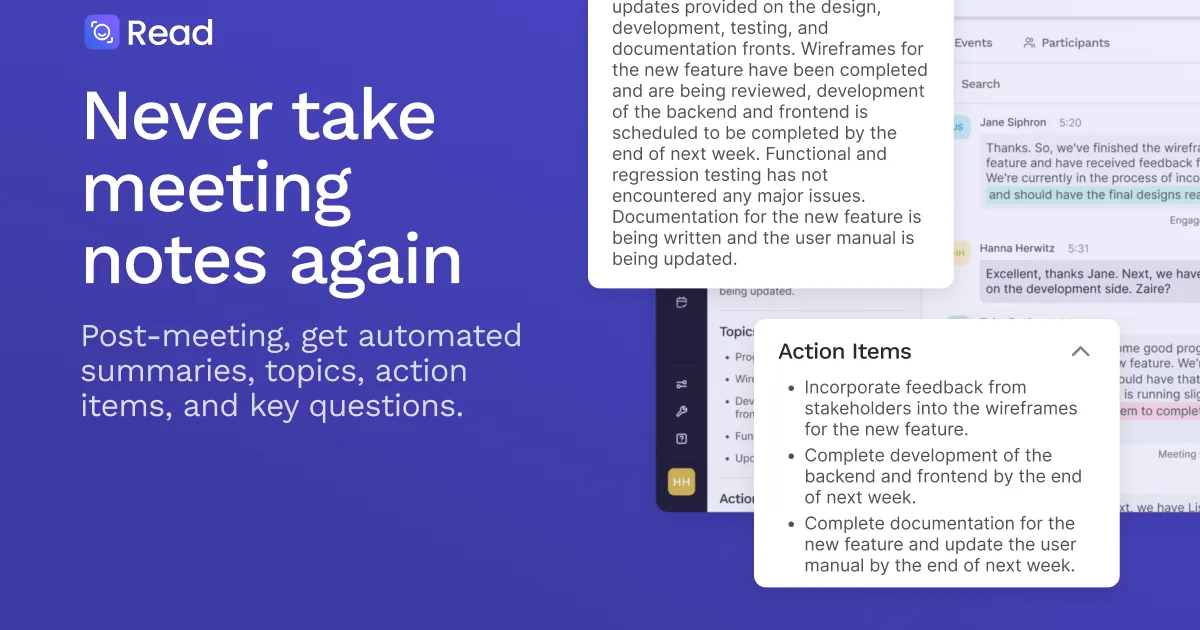

Read AI
AI copilot that transcribes meetings, summarizes emails and messages, and builds a knowledge graph across your productivity stack.
Updated 2026-05-01
Yes, within limits. Read AI runs a free tier with paid plans above it.
Listed pricing: Freemium — Free basic; Pro $15/user/mo, Enterprise from $20/user/mo.
Overview
Read AI positions itself not just as a meeting transcription tool, but as an AI copilot that works across your entire productivity stack — meetings, email, chat, and calendar. It joins your Zoom, Google Meet, or Teams calls to transcribe and summarize, but it also connects to Gmail, Outlook, Slack, and your calendar to surface insights that span all your work communication. The pitch is that context from a Slack thread can inform a meeting summary, and vice versa.
The standout feature is what Read AI calls its knowledge graph — a connected layer that links people, topics, and action items across every channel. Rather than treating each meeting or email as an isolated event, it builds an organizational memory that lets you search across all interactions. For managers tracking multiple projects or sales reps managing dozens of accounts, this cross-channel awareness is genuinely useful and something competitors like Otter.ai or Fireflies.ai don't attempt at the same depth.
The free tier covers basic meeting transcription and summaries, but the real value unlocks at the Pro tier ($15/user/month) with cross-app intelligence and deeper analytics. Enterprise plans add team-wide dashboards, engagement scoring, and admin controls. The main catch is that Read AI's breadth can feel overwhelming — it's pulling data from so many sources that the signal-to-noise ratio takes tuning, and the setup process for all integrations requires more effort than single-purpose meeting tools.
Is Read AI free?
Yes, within limits. Read AI runs a free tier with paid plans above it.
What the free tier covers: Basic meeting transcription and AI summaries with limited integration support.
Listed pricing: Freemium — Free basic; Pro $15/user/mo, Enterprise from $20/user/mo.
Pricing on this page has not been re-verified. The entry was last edited on , and no separate pricing check has been run since. Treat the figures as a record of what was published then and confirm on the official site.
What the free tier leaves out
Read straight off the plan list below. Vendors move features between tiers, so check the current split before you pay.
- Pro $15/user/mo Cross-app intelligence, email and chat summaries, knowledge graph, advanced analytics
- Enterprise From $20/user/mo Team dashboards, engagement scoring, SSO, admin controls, custom integrations, dedicated support
Read AI pricing
| Plan | Price | What's included |
|---|---|---|
| Free | Free | Basic meeting transcription and summaries, limited integrations |
| Pro | $15/user/mo | Cross-app intelligence, email and chat summaries, knowledge graph, advanced analytics |
| Enterprise | From $20/user/mo | Team dashboards, engagement scoring, SSO, admin controls, custom integrations, dedicated support |
Basic meeting transcription and summaries, limited integrations
Cross-app intelligence, email and chat summaries, knowledge graph, advanced analytics
Team dashboards, engagement scoring, SSO, admin controls, custom integrations, dedicated support
Pricing on this page has not been re-verified. The entry was last edited on , and no separate pricing check has been run since. Treat the figures as a record of what was published then and confirm on the official site.
Is Read AI worth it?
Worth it for Managers and sales reps who need meeting, email, and chat context unified into one searchable knowledge graph.
You can test that on the free tier before paying anything. The recorded trade-offs are listed below, and any one of them can settle the question on its own.
The 8.3/10 AI Score is an editorial read of published capability, price and shipping pace. Nobody here has hands-on hours with Read AI. How we verify.
Worth it if
The strengths recorded against this entry.
- Cross-app intelligence connects meetings, email, and chat — not just another meeting-only tool
- Organizational knowledge graph lets you search across all communication channels in one place
- Engagement scoring and meeting analytics help managers identify communication patterns
- Clean integration with major productivity suites (Google Workspace, Microsoft 365, Slack)
Not worth it if
Any one of these blocks your use case.
- Setup requires connecting multiple integrations — more effort than single-purpose meeting tools
- Signal-to-noise ratio needs tuning when pulling from many data sources simultaneously
- Free tier is basic compared to Fathom or tl;dv which offer unlimited transcription
- Privacy-conscious teams may hesitate at granting access to email, chat, and calendar data
What sets Read AI apart
- Cross-app intelligence spanning meetings, email, chat, and calendar
- Knowledge graph linking people, topics, and action items across channels
- Engagement scoring and meeting analytics for managers
Key features
Meeting Summaries
Joins Zoom, Google Meet, and Microsoft Teams calls automatically. Produces real-time transcripts with speaker identification, followed by AI-generated summaries with action items, key decisions, and topic breakdowns.
Cross-App Intelligence
Connects to Gmail, Outlook, Slack, and calendar to summarize emails, chat threads, and scheduling patterns. Surfaces relevant context from other channels when preparing for or reviewing meetings.
Knowledge Graph
Builds an organizational knowledge graph that links people, topics, and action items across meetings, emails, and messages. Enables natural language search across all your work communication history.
How it compares
| Tool | Best for | Pricing | Score |
|---|---|---|---|
| Read AI | Managers and sales reps who need meeting, email, and chat context unified into one searchable knowledge graph. | Freemium — Free basic; Pro $15/user/mo, Enterprise from $20/user/mo | 8.3/10 |
| Grok Bot vs Grok Bot → | Anyone who wants an always-on teammate that signs into real apps, finishes work end to end, and only pings you for approval. | Included on eligible Cursor ($20+/mo), SuperGrok ($30+/mo), and Cursor Teams ($40+/seat/mo) plans. Product page also lists a Get started for free path. | 9.6/10 |
| Muse | — | Free with usage limit (US); Power $20/mo, Maximum $100/mo | 9.2/10 |
| Notion AI vs Notion AI → | Notion users who want an assistant that already knows their pages, databases, and documents for summaries and answers. | From $10/mo | 9/10 |
Compare head-to-head
Related reading

Anthropic Traced More Than 23 Million Exchanges
Anthropic attributed more than 23 million exchanges to Moonshot between May and July in its September 2026 threat intelligence report.

ChatGPT for Financial Services: What Shipped, Pricing & Who It's For
OpenAI launched a tailored ChatGPT Work experience for investment bankers and equity researchers with GPT-6 Astra, built-in PitchBook/Daloopa/LSEG data, citations, and sales-quoted pricing.

DeepSeek Flash KV Cache at 890 Bytes per Token
DeepSeek V4.1-Flash posts 90.6 on Terminal-Bench 2.1 against GPT-5.6 Sol at 88.8 while cutting KV cache to 890 bytes per token.
Ready to try Read AI?
Head to the official site to start with Read AI — pricing and plans are listed above.
Visit Read AI