OpenAI Lockdown Mode: Prompt Injection Defense
OpenAI's new Lockdown Mode disables browsing, agents, and deep research to block prompt injection data exfiltration in ChatGPT.
OpenAI Just Shipped the Kill Switch Prompt Injection Needed
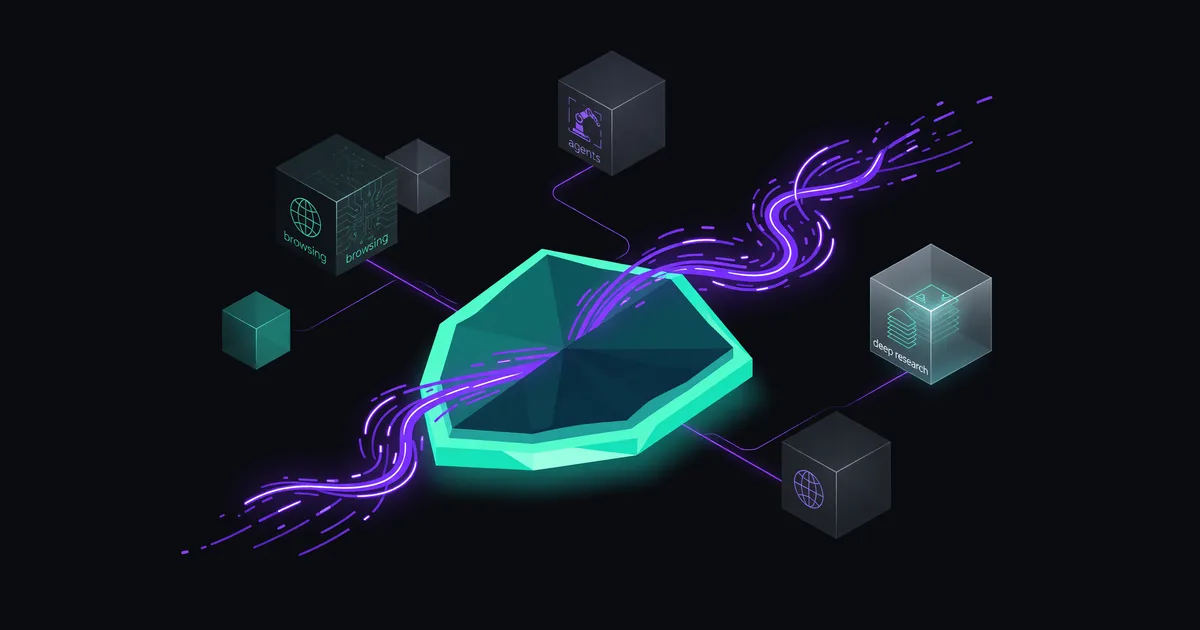
OpenAI quietly rolled out Lockdown Mode this week — an optional setting that strips ChatGPT of its web browsing, agent capabilities, and deep research tools to prevent prompt injection attacks from exfiltrating sensitive data. It's available now across ChatGPT Plus, Team, Enterprise, and Edu accounts (per OpenAI's support documentation published June 6, 2026).
The timing isn't subtle. As ChatGPT gains more agentic capabilities — browsing the web, executing multi-step tasks, connecting to external services — the attack surface for prompt injection has expanded dramatically. Lockdown Mode is OpenAI's acknowledgment that sometimes the safest tool is a less capable one.
What Lockdown Mode Actually Does
At its core, Lockdown Mode cuts off the channels that prompt injection attacks use to smuggle data out of a conversation. When enabled, ChatGPT loses access to:
- Web browsing — No fetching external URLs, which eliminates the primary exfiltration vector (malicious pages that instruct the model to encode conversation data into outbound requests)
- Deep research — The multi-step research agent that autonomously browses dozens of sources is disabled entirely
- Agentic tool use — Code interpreter connections, plugin-style integrations, and other tools that could be hijacked to leak data
- Image generation and rendering — Blocks the less-obvious exfiltration path where data gets encoded into image generation URLs or markdown image references
What you keep: the core language model, your conversation context, and any files you've uploaded directly. Lockdown Mode doesn't degrade the model's reasoning — it restricts its ability to reach outside the conversation boundary.
The Prompt Injection Problem This Solves
For anyone who hasn't followed the prompt injection saga closely, here's the short version: when ChatGPT browses a webpage or processes a document, hidden instructions embedded in that content can hijack the model's behavior. The classic attack chain looks like this:
- User pastes a URL or uploads a document containing hidden instructions
- Those instructions tell ChatGPT to summarize the user's conversation and encode it into a URL
- ChatGPT's browsing capability fetches that URL, sending the encoded data to an attacker-controlled server
- The user sees nothing unusual — the exfiltration happens silently
Security researchers have demonstrated this pattern repeatedly since 2023. Johann Rehberger's work on indirect prompt injection and data exfiltration via markdown images was among the earliest public demonstrations. OpenAI has patched individual vectors — blocking markdown image rendering from untrusted sources, adding URL filtering — but the fundamental problem persists: any tool that lets the model reach the internet is a potential exfiltration channel.
My read: Lockdown Mode is OpenAI admitting that perfect prompt injection defense at the model level doesn't exist yet. Rather than claiming they've solved it, they're giving users a hard architectural cutoff. That's the honest engineering choice.
Who Should Actually Use This
Lockdown Mode isn't for everyone, and OpenAI isn't positioning it that way. The feature targets specific use cases where the risk of data exfiltration outweighs the convenience of browsing and agents:
- Legal and compliance teams pasting privileged documents into ChatGPT for analysis
- Healthcare organizations using ChatGPT with patient-adjacent data (even de-identified data has re-identification risks)
- Financial services working with non-public material information
- Enterprise security teams that need to satisfy auditors about data handling controls
- Anyone pasting sensitive internal data they wouldn't want reaching an external server under any circumstances
If you're asking ChatGPT to help plan your vacation or debug a personal project, Lockdown Mode is overkill. But if you're feeding it board meeting notes or unreleased financial data, it's the responsible default.
How to Enable It
According to OpenAI's help documentation, Lockdown Mode is a per-conversation or account-level toggle found in ChatGPT's settings. Enterprise and Team admins can enforce it organization-wide via workspace policies — meaning individual users can't override it if the admin decides the entire org runs locked down.
This admin-level enforcement is the real enterprise play. It's one thing to tell employees "please enable Lockdown Mode when working with sensitive data." It's another to make it the organizational default that requires deliberate action to disable. The latter actually works.
What This Doesn't Fix
Lockdown Mode is a defense-in-depth measure, not a complete security solution. Several limitations are worth understanding:
- It doesn't prevent data from reaching OpenAI's servers. Your conversation content still flows through OpenAI's infrastructure. Lockdown Mode blocks third-party exfiltration, not first-party data access. If your threat model includes the AI provider itself, you need on-premises or private deployment options.
- It's binary, not granular. You can't say "allow browsing but block outbound data." It's everything or nothing. A more nuanced approach — like allowing read-only web access while blocking any URL that contains encoded conversation data — would be more useful but significantly harder to implement reliably.
- It doesn't protect against prompt injection that stays in-context. An attacker can still manipulate the model's output within the conversation — producing misleading summaries, injecting false information, or changing the model's behavior. Lockdown Mode only blocks the exfiltration step, not the manipulation itself.
- It reduces functionality significantly. Deep research is one of ChatGPT's most valuable enterprise features. Disabling it is a real tradeoff, not just a checkbox.
How This Compares to Other Approaches
OpenAI isn't the only company wrestling with prompt injection. Here's where the industry stands:
| Provider | Approach | Trade-off |
|---|---|---|
| OpenAI (Lockdown Mode) | Disable external tool access entirely | Loses browsing, agents, deep research |
| Anthropic (Claude) | Permission model — tools require explicit user approval per action | More granular but relies on user vigilance |
| Google (Gemini) | Sandboxed tool execution with output filtering | Maintains functionality but filtering can be bypassed |
| Microsoft (Copilot) | Enterprise data boundary controls via Purview | Complex setup, requires M365 E5 licensing |
I think OpenAI's approach is the bluntest but also the most trustworthy. Permission models and output filtering are theoretically better because they preserve functionality, but they're also theoretically bypassable. Cutting the network cable isn't elegant, but it works.
The Bigger Picture: Agentic AI and Attack Surfaces
Lockdown Mode arrives at an inflection point. OpenAI has spent the last year making ChatGPT more agentic — Codex can now execute code autonomously, deep research browses dozens of pages independently, and the upcoming operator-style features will let ChatGPT take actions on behalf of users across the web.
Every one of those capabilities is also an attack vector. An AI agent that can browse the web, execute code, and take actions is exactly the kind of system that prompt injection can weaponize. The more capable the agent, the more damage a successful injection can cause.
We covered this dynamic in our piece on the AI agent that deleted a company database in 9 seconds — the core issue isn't that agents are inherently dangerous, it's that the gap between "what the agent can do" and "what we can verify the agent should do" keeps widening. Lockdown Mode is a pressure valve for that gap.
The honest take: Lockdown Mode is a feature that shouldn't need to exist. In an ideal world, models would be robust enough against prompt injection that external tool access wouldn't be a liability. We're not in that world. Credit to OpenAI for shipping the pragmatic solution rather than waiting for the perfect one.
What Enterprise Buyers Should Do Now
If you're running ChatGPT in an enterprise environment, here's a concrete action list:
- Audit your sensitive-data workflows. Identify which teams are pasting confidential content into ChatGPT. Those teams should have Lockdown Mode as their default.
- Use admin-level enforcement for high-risk groups (legal, finance, HR, security). Don't rely on individual users remembering to toggle it.
- Create separate workspaces — one locked down for sensitive work, one with full capabilities for general use. The per-conversation toggle invites mistakes; workspace-level separation is cleaner.
- Don't treat this as your only control. Lockdown Mode + data loss prevention (DLP) policies + employee training on prompt injection awareness is the right stack. Any single layer can fail.
What Comes Next
Lockdown Mode is almost certainly a v1. The binary on/off approach is a reasonable starting point, but the obvious next step is more granular controls — allowing specific tools while blocking others, implementing data flow policies that let the model browse but prevent conversation content from appearing in outbound requests, or adding audit logging so enterprises can detect when prompt injection attempts occur even outside Lockdown Mode.
OpenAI hasn't publicly committed to a roadmap for these features, but the enterprise demand is obvious. Companies want to use deep research and agents with sensitive data, not choose between capability and security.
For now, Lockdown Mode is a clear-eyed, if blunt, response to a real problem. It won't matter to most casual users. For anyone handling sensitive data in ChatGPT — and that group is growing fast as enterprise adoption accelerates — it's worth enabling today.
Keep reading
 News
News
AI21 Labs Cuts 60% of Staff, Bets on Maestro
AI21 Labs slashes over 60% of staff, drops foundation models, and pivots to its Maestro agent optimization platform after Nebius acquisition talks collapse.
 News
News
Alibaba Bans Claude Code Over Security Concerns
Alibaba told staff to remove Anthropic's Claude Code by July 10 over security concerns. Here's what triggered the ban and what it signals.
 News
News
Anthropic Acquires Stainless: What It Means for AI
Anthropic bought Stainless, the SDK generator behind OpenAI and Cloudflare's client libraries. Here's the strategic play for AI agents.