
Claude
Anthropic's AI assistant with Opus 4.6, 1M-token context, computer use, agentic coding via Claude Code, and MCP integrations.
Updated 2026-05-02
Yes, within limits. Claude runs a free tier with paid plans above it.
Listed pricing: Free tier + Pro $20/mo + Team $30/mo/user.
Overview
Claude has evolved from a writing-focused chatbot into one of the most capable AI platforms available. The flagship Opus 4.6 model offers a 1-million-token context window — enough to ingest entire codebases, book-length documents, or months of conversation history in a single session. Sonnet 4.6 provides a fast, cost-effective alternative, and Haiku 4.5 handles lightweight tasks at high speed.
The standout additions in recent releases are computer use and Claude Code. Computer use lets Claude take control of your screen — clicking, typing, and navigating applications just like a human operator. Claude Code is a CLI-based agentic coding tool that reads your repo, writes code, runs tests, handles git operations, and iterates on errors autonomously. Together, these make Claude one of the most genuinely agentic AI assistants on the market.
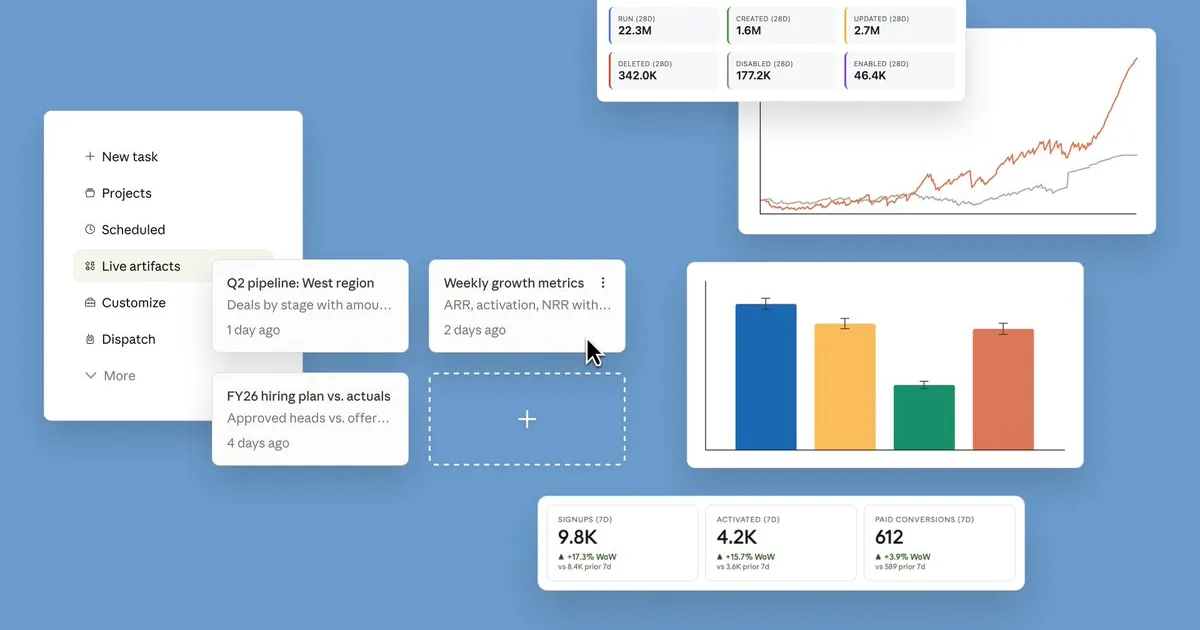
Artifacts remains a strong differentiator: interactive code previews, data visualizations, and documents rendered alongside the chat. Projects let you organize conversations with persistent context and custom instructions. The Model Context Protocol (MCP) opens Claude up to third-party integrations — connecting it to databases, APIs, file systems, and creative tools like Blender and Adobe apps.
Is Claude free?
Yes, within limits. Claude runs a free tier with paid plans above it.
What the free tier covers: Free access to Claude Sonnet 4.6 with daily usage limits.
Listed pricing: Free tier + Pro $20/mo + Team $30/mo/user.
Pricing verified . That is the date the plans were last re-checked against the vendor's own pages, not today's date. Confirm on the official site before you pay.
What the free tier leaves out
Read straight off the plan list below. Vendors move features between tiers, so check the current split before you pay.
- Pro $20/mo Opus 4.6, higher limits, Projects, computer use, Claude Code
- Team $30/mo/user Everything in Pro, admin controls, no training on data
- Enterprise Custom SSO, SCIM, custom data retention, dedicated support, SLA
Claude pricing
| Plan | Price | What's included |
|---|---|---|
| Free | Free | Claude Sonnet 4.6, limited daily usage, basic Artifacts |
| Pro | $20/mo | Opus 4.6, higher limits, Projects, computer use, Claude Code |
| Team | $30/mo/user | Everything in Pro, admin controls, no training on data |
| Enterprise | Custom | SSO, SCIM, custom data retention, dedicated support, SLA |
Claude Sonnet 4.6, limited daily usage, basic Artifacts
Opus 4.6, higher limits, Projects, computer use, Claude Code
Everything in Pro, admin controls, no training on data
SSO, SCIM, custom data retention, dedicated support, SLA
One plan carries no published number: Enterprise, recorded as “Custom”. Nothing is estimated in its place. The vendor's own pricing page is the only source for those figures.
Pricing verified . That is the date the plans were last re-checked against the vendor's own pages, not today's date. Confirm on the official site before you pay.
Is Claude worth it?
Worth it for Developers and professionals who need agentic coding, computer control, and large-document or codebase analysis in one assistant.
You can test that on the free tier before paying anything. The recorded trade-offs are listed below, and any one of them can settle the question on its own.
The 9.5/10 AI Score is an editorial read of published capability, price and shipping pace. Nobody here has hands-on hours with Claude. How we verify.
Worth it if
The strengths recorded against this entry.
- 1M-token context window handles massive codebases and documents in a single session
- Computer use and Claude Code enable genuinely agentic workflows — not just chat
- Consistently top-tier writing quality that's natural, nuanced, and style-adaptable
- MCP ecosystem growing fast with third-party integrations for creative and developer tools
Not worth it if
Any one of these blocks your use case.
- No image or video generation — strictly text and code output
- Free tier usage limits are restrictive, especially during peak hours
- Computer use still requires human supervision for complex multi-app tasks
- Smaller third-party plugin ecosystem compared to ChatGPT's store
What sets Claude apart
- 1M-token context window for entire codebases or book-length documents in one session
- Computer use lets Claude click, type, and navigate apps directly
- Claude Code CLI writes, tests, and iterates on code autonomously in a repo
- MCP ecosystem connects Claude to third-party databases, APIs, and creative tools
Key features
1M Context Window
Opus 4.6 supports up to 1 million tokens of context. Process entire codebases, research paper collections, or book-length documents without chunking or summarization.
Computer Use
Claude can see your screen and operate your computer — clicking buttons, filling forms, navigating apps, and completing multi-step workflows autonomously.
Claude Code
An agentic coding CLI that reads your repository, writes and edits code, runs tests, handles git operations, and iterates on failures. Works with any language and codebase.
Artifacts & Projects
Interactive side-by-side workspace for code, documents, and visualizations. Projects add persistent context and custom instructions across conversations.
How it compares
| Tool | Best for | Pricing | Score |
|---|---|---|---|
| Claude | Developers and professionals who need agentic coding, computer control, and large-document or codebase analysis in one assistant. | Free tier + Pro $20/mo + Team $30/mo/user | 9.5/10 |
| ChatGPT vs ChatGPT → | Users who want one subscription covering reasoning, voice, vision, image and video generation, and agentic browsing in a single app. | Free tier + Plus $20/mo + Pro $200/mo | 9.5/10 |
| Gemini vs Gemini → | Google Workspace users who want an assistant that can read their Gmail, Drive, and Calendar while reasoning across huge documents or videos in one pass. | Free tier + Advanced $19.99/mo | 9.2/10 |
| Claude Haiku 5.5 | — | $0.10/$0.50 per M tokens (≤100k prompts); higher rates for longer prompts | 9.2/10 |



Learn to use Claude
Step-by-step, each one stamped with the date it was last checked against the docs.
Compare head-to-head
Related reading

Flash-1017 vs Opus 5 vs Sol on Price and Scores
Flash-1017 lists 77.0 on DeepSWE and 42.3 on Terminal-Bench, and the useful split versus Opus 5 and Sol is price plus where you can call the model.

Anthropic's Public Benefit Fund and the Share Ratchet
Anthropic's fund starts at 5% of shares and can add 2% per 50% value rise. With founder pledges and the employee match, public-bound equity is about 20%.

DeepSeek Flash vs Claude Opus 5 at 35.4 and 28.6
DeepSeek's own tables put an open-weights Flash model at 35.4 and Claude Opus 5 at 28.6 on Agents' Last Exam.
Ready to try Claude?
Head to the official site to start with Claude — pricing and plans are listed above.
Visit Claude