
Descript
AI-powered video and podcast editor that lets you cut footage by editing a text transcript, with Overdub voice cloning and eye contact correction.
Updated 2026-04-30
Yes, within limits. Descript runs a free tier with paid plans above it.
Listed pricing: Freemium — paid from $8/mo.
Overview
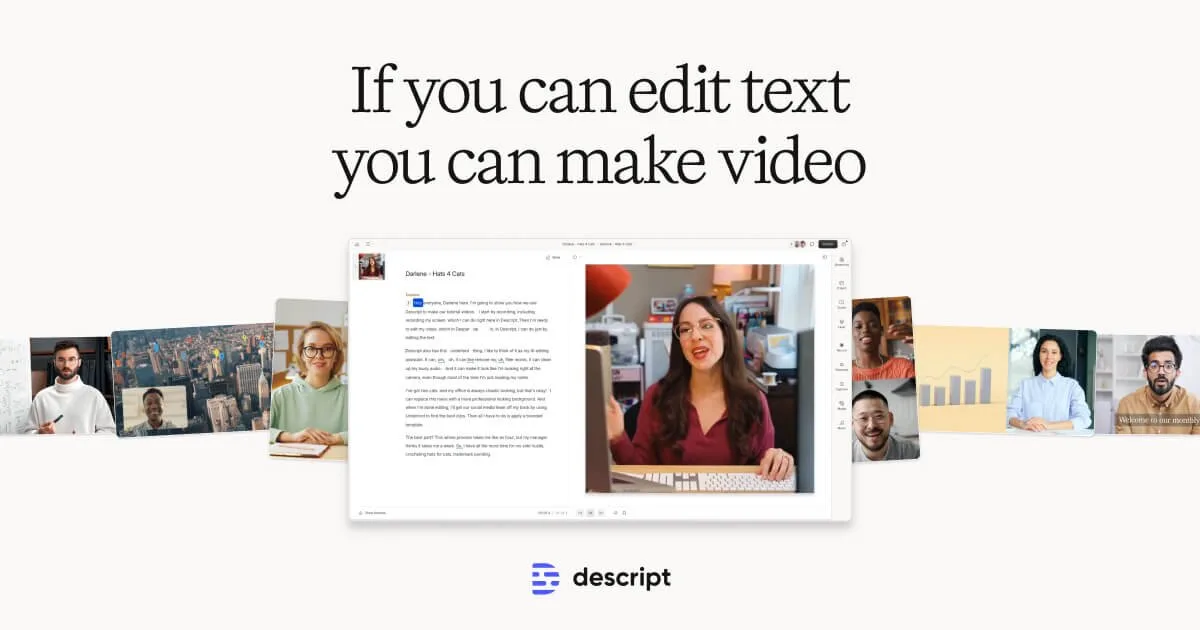
Descript flips video editing on its head: instead of scrubbing through a timeline, you edit a text transcript and the video follows. Delete a sentence from the transcript and the corresponding footage disappears. It's the fastest way to cut talking-head videos, interviews, and podcast episodes — especially if you're more comfortable in a word processor than a traditional NLE.
The AI feature set goes well beyond transcription. Overdub lets you generate new audio in your own cloned voice just by typing — handy for fixing flubbed lines without re-recording. Eye Contact correction adjusts gaze to make speakers look directly into the camera even when they were reading off-screen notes. Filler-word detection automatically finds and removes every "um," "uh," and "you know" in seconds. Studio Sound cleans up room noise to near-professional quality.
Descript works best for podcasters, YouTubers, internal comms teams, and anyone who produces talking-head or interview-style content regularly. It's not a replacement for Premiere or DaVinci Resolve if you need complex VFX, color grading, or multi-layer compositing, but for straightforward content production its transcript-first workflow is genuinely faster than anything else on the market. Backed by the OpenAI Startup Fund, the tool receives frequent AI updates and has strong team collaboration features.
Is Descript free?
Yes, within limits. Descript runs a free tier with paid plans above it.
What the free tier covers: One project with watermark — enough to test the transcript-editing workflow.
Listed pricing: Freemium — paid from $8/mo.
Pricing on this page has not been re-verified. The entry was last edited on , and no separate pricing check has been run since. Treat the figures as a record of what was published then and confirm on the official site.
What the free tier leaves out
Read straight off the plan list below. Vendors move features between tiers, so check the current split before you pay.
- Hobbyist $8/mo Unlimited projects, no watermark, 10h transcription/mo
- Creator $24/mo Unlimited transcription, Overdub, filler-word removal, Studio Sound
- Business $40/mo Team features, brand kit, advanced permissions, priority support
Descript pricing
| Plan | Price | What's included |
|---|---|---|
| Free | Free | 1 watermarked project, transcription, basic editing |
| Hobbyist | $8/mo | Unlimited projects, no watermark, 10h transcription/mo |
| Creator | $24/mo | Unlimited transcription, Overdub, filler-word removal, Studio Sound |
| Business | $40/mo | Team features, brand kit, advanced permissions, priority support |
1 watermarked project, transcription, basic editing
Unlimited projects, no watermark, 10h transcription/mo
Unlimited transcription, Overdub, filler-word removal, Studio Sound
Team features, brand kit, advanced permissions, priority support
Pricing on this page has not been re-verified. The entry was last edited on , and no separate pricing check has been run since. Treat the figures as a record of what was published then and confirm on the official site.
Is Descript worth it?
Worth it for Podcasters, YouTubers, and internal comms teams who edit talking-head or interview footage and prefer working from a transcript.
You can test that on the free tier before paying anything. The recorded trade-offs are listed below, and any one of them can settle the question on its own.
The 8.7/10 AI Score is an editorial read of published capability, price and shipping pace. Nobody here has hands-on hours with Descript. How we verify.
Worth it if
The strengths recorded against this entry.
- Transcript-based editing is dramatically faster for dialogue-heavy content
- Overdub voice cloning lets you fix mistakes without re-recording
- Eye contact correction and Studio Sound save hours of post-production
- Strong collaboration features for teams producing content at scale
Not worth it if
Any one of these blocks your use case.
- Not suited for complex VFX, motion graphics, or color grading
- Overdub voice quality can sound slightly synthetic in longer passages
- Free tier is very limited — only one watermarked project
- Performance can lag with long recordings (2+ hours)
What sets Descript apart
- Cuts video by deleting words from the transcript instead of scrubbing a timeline
- Overdub clones your voice to fix flubbed lines by typing new speech
- Eye Contact correction and one-click Studio Sound cleanup replace manual post-production steps
Key features
Transcript Editing
Edit video and audio by editing text — delete words from the transcript and the footage is cut automatically. Supports 23+ languages with high-accuracy AI transcription.
Overdub Voice
Clone your voice from a short training sample, then generate new speech by typing. Fix mistakes or add new lines without re-recording. Convincing enough for podcast corrections and internal videos.
Eye Contact Fix
AI adjusts speaker gaze so they appear to look directly into the camera, even if they were reading from a teleprompter or side monitor during recording.
Studio Sound
One-click audio enhancement that removes background noise, room echo, and uneven levels. Turns laptop-mic recordings into something close to studio quality.
How it compares
| Tool | Best for | Pricing | Score |
|---|---|---|---|
| Descript | Podcasters, YouTubers, and internal comms teams who edit talking-head or interview footage and prefer working from a transcript. | Freemium — paid from $8/mo | 8.7/10 |
| Runway vs Runway → | Filmmakers, advertisers, and content creators who need cinematic AI video with realistic motion and fine-grained creative control. | Free tier + Standard $12/mo + Pro $28/mo + Max $76/mo + Enterprise contact sales | 9.3/10 |
| Veo 3 vs Veo 3 → | Filmmakers, content creators, and marketing teams who need production-quality cinematic video with synced audio, without a production budget. | Free via Gemini + Vertex AI pay-per-use | 9.1/10 |
| Seedance 2.0 vs Seedance 2.0 → | Video creators and developers who need short AI-generated clips with synchronized audio, lip-sync, and cinematic camera control. | Free daily credits (Dreamina) + paid ~$15-$70/mo; API from ~$0.08/s | 9/10 |



Compare head-to-head
Related reading

Kimi K3.1 Pro vs Opus 5.5 on Scores and Access
Moonshot’s Kimi K3.1 Pro hits 65.7% on Terminal-Bench 4.0 against Claude Opus 5.5 at 66.4%, with live API access and open weights dated November 4.

Meta's $35B Class C Raise Buys Compute, Not Votes
Meta's October 2026 Class C equity raise funds AI data centers while preserving founder control and lifting the compute bar for smaller labs.

Brotli Unauthenticated RCE Claim, Audited
Security digests keep repeating Brotli RCE with “no account needed.” Here is what that claim measures, skips, and when it fails for your stack.
Ready to try Descript?
Head to the official site to start with Descript — pricing and plans are listed above.
Visit Descript