Research · Head-to-head
NotebookLM vs Paperguide
NotebookLM vs Paperguide: Free vs Free tier + Plus ~$12/mo, Pro ~$24/mo (billed annually). Side-by-side features, pricing, and which to pick.
The verdict
Pick NotebookLM if…
- →budget is the constraint
- →overall capability matters more than price (AI Score 9.1 vs 8)
- →you want our editor's pick for this category
- →your primary use case is students, researchers, and professionals who need answers grounded strictly in the specific documents they upload.
Pick Paperguide if…
- →your primary use case is researchers, grad students, and thesis writers who want search, literature review, reference management, and ai drafting in one workspace.
- →you need: content-creation
Side-by-side specs
| Spec | NotebookLM | Paperguide |
|---|---|---|
| Category | Research | Research |
| Pricing model | free | freemium |
| Headline pricing | Free | Free tier + Plus ~$12/mo, Pro ~$24/mo (billed annually) |
| Free tier | Completely free with all features | Free plan with limited monthly AI credits and around 20 searches — enough to test discovery and chat-with-PDF before paying. |
| AI Score | 9.1/10 | 8/10 |
| Best for | Students, researchers, and professionals who need answers grounded strictly in the specific documents they upload. | Researchers, grad students, and thesis writers who want search, literature review, reference management, and AI drafting in one workspace. |
| Editor's pick | ✓ Yes | — |
| Use cases | research education | research education content-creation |
| Date added | 2025-04-15 | 2026-06-27 |
Pros and cons
🧠
NotebookLM
Research · free
Pros
- ✓Completely free with no usage limits
- ✓Source-grounded answers prevent hallucination
- ✓Unique Audio Overview feature
- ✓Excellent for studying and research
Cons
- ×Only works with uploaded documents (no web search)
- ×Limited to 50 sources per notebook
- ×Audio Overviews only in English currently
- ×Cannot generate original content beyond sources
Paperguide
Research · freemium
Pros
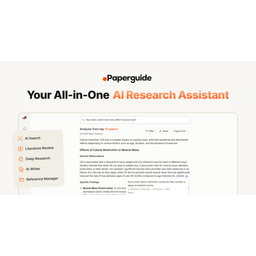
- ✓Combines search, literature review, reference manager, and AI writing in one workspace instead of three separate subscriptions
- ✓Search corpus claimed at 200M+ papers, broad enough to cover most fields
- ✓Citations stay grounded to source papers, reducing the fabricated-reference problem common with general LLMs
- ✓Generous-feeling free tier and a 40% student discount lower the barrier for academics
- ✓Chat-with-PDF and deep-research reports speed up reading dense literature
Cons
- ×Jack-of-all-trades breadth means each feature competes with a sharper specialist — Elicit for extraction, Scite for citation context, Consensus for evidence
- ×Free tier's ~20 searches and limited credits run out fast for any serious review
- ×Best pricing requires annual billing; monthly rates are higher
- ×AI-written academic text still needs careful human verification — treat drafts and citations as a starting point, not final copy
Related comparisons
Updated 2026-06-27. Spec data sourced from official product pages and tracked in our public directory at /tools.