Writing · Head-to-head
Grammarly vs Wordtune
Grammarly vs Wordtune: Freemium vs Free / $13.99/mo Plus. Side-by-side features, pricing, and which to pick.
The verdict
Pick Grammarly if…
- →overall capability matters more than price (AI Score 9 vs 7.8)
- →your primary use case is writers and teams who want real-time grammar checking, tone adjustment, and ai rewriting across every site and app via a browser extension.
Pick Wordtune if…
- →your primary use case is writers who already have a draft and want sentence-level rewrites, tone changes, and clearer phrasing rather than content generated from scratch.
Side-by-side specs
| Spec | Grammarly | Wordtune |
|---|---|---|
| Category | Writing | Writing |
| Pricing model | freemium | freemium |
| Headline pricing | Freemium | Free / $13.99/mo Plus |
| Free tier | Basic grammar and spelling checks free forever | Limited daily rewrites with basic tone options and browser extension access |
| AI Score | 9/10 | 7.8/10 |
| Best for | Writers and teams who want real-time grammar checking, tone adjustment, and AI rewriting across every site and app via a browser extension. | Writers who already have a draft and want sentence-level rewrites, tone changes, and clearer phrasing rather than content generated from scratch. |
| Editor's pick | — | — |
| Use cases | content-creation productivity | content-creation productivity |
| Date added | 2025-05-01 | 2026-04-30 |
Pros and cons
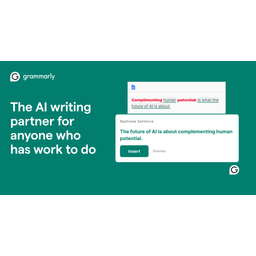
Grammarly
Writing · freemium
Pros
- ✓Works everywhere via browser extension
- ✓Most accurate grammar checking available
- ✓Excellent tone detection and adjustment
- ✓Generous free tier
Cons
- ×Generative AI features require Premium
- ×Can be overly aggressive with suggestions
- ×Privacy concerns with cloud processing
- ×Premium pricing adds up for teams

Wordtune
Writing · freemium
Pros
- ✓Sentence-level rewriting with multiple alternatives per highlight
- ✓Summarize feature handles articles, PDFs, and YouTube videos
- ✓Browser extension integrates directly into Gmail, Docs, and Slack
- ✓Backed by AI21 Labs with proprietary language models tuned for paraphrasing
Cons
- ×Free tier daily rewrite limit is restrictive for heavy users
- ×Weaker at generating content from scratch compared to Jasper or Copy.ai
- ×No Firefox or Safari extension — Chrome and Edge only
- ×Summarize and advanced features locked behind Plus plan
Related comparisons
Updated 2026-04-30. Spec data sourced from official product pages and tracked in our public directory at /tools.