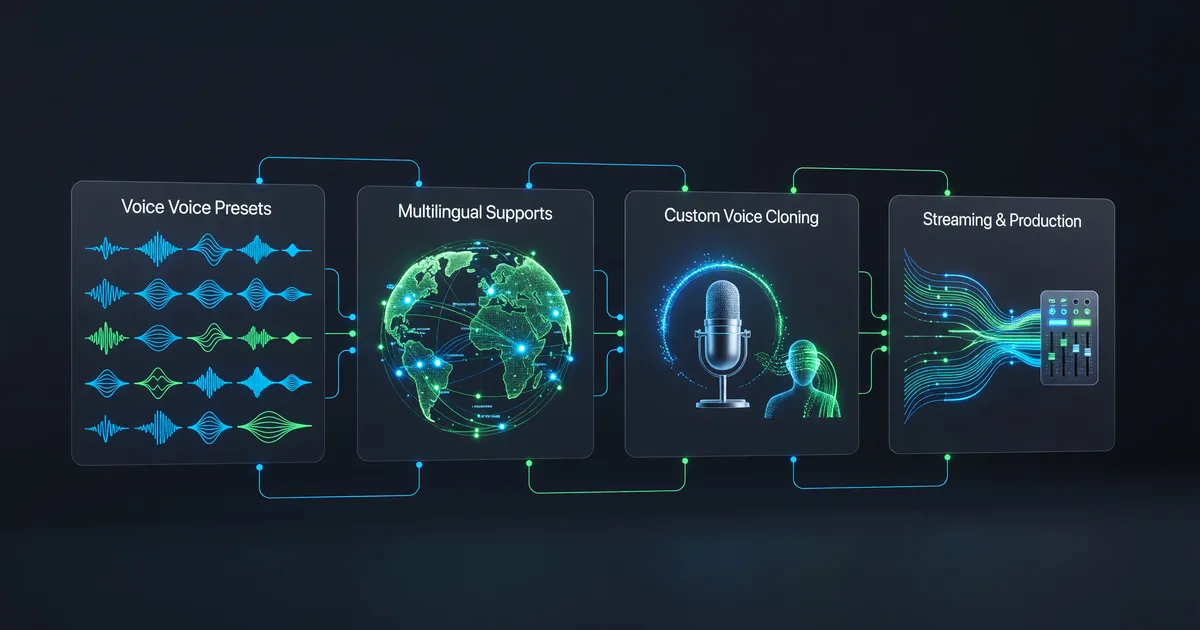
Grok Voice API: 80+ Voices, 28 Languages, One Guide
Explore Grok's expanded voice library with 80+ presets across 28 languages, plus custom cloning, streaming, and production integration patterns.
Grok's Voice API Just Got Serious
On May 4, 2026, xAI quietly expanded Grok's voice capabilities from a neat demo into a production-ready platform. The numbers: 80+ preset voices, 28 languages, custom voice cloning, and streaming support — all through the same REST API you're already using for text generation.
The timing wasn't quiet for long. An "AI clone?" challenge post on X racked up 35 million views within 48 hours. Turns out people really want to hear AI speak in their voice, in their language.
This guide covers the full voice API — not just cloning (we've covered that separately), but the preset library, multilingual generation, streaming for real-time apps, and the production patterns that actually matter when you're shipping something.
The Preset Voice Library
Before you clone anything, check whether one of the 80+ built-in voices already fits your use case. Most developers skip this step and go straight to cloning, but the presets are genuinely good — and they skip the verification overhead entirely.
Listing available voices is one API call:
import requests

API_KEY = "your-xai-api-key"
headers = {"Authorization": f"Bearer {API_KEY}"}

response = requests.get(
    "https://api.x.ai/v1/voices/presets",
    headers=headers
)

voices = response.json()["voices"]
print(f"Available: {len(voices)} voices")

for v in voices[:10]:
    print(f"  {v['name']} — {v['language']} — {v['style']}")
Each preset comes with metadata: language, accent region, speaking style (conversational, narration, newscast, etc.), and a gender tag. The styles matter more than you'd expect — a "conversational" voice handles pauses and filler naturally, while a "narration" voice maintains steadier pacing over long passages.
Voices worth trying first:
- Aria (en-US, conversational) — the default for good reason. Natural pacing, handles questions and exclamations well.
- Kai (en-US, narration) — deeper register, excellent for long-form content like audiobooks or documentation walkthroughs.
- Léa (fr-FR, conversational) — one of the standout non-English voices. Properly handles French liaison and elision, which most TTS engines butcher.
- Hiro (ja-JP, formal) — clean Japanese with proper pitch accent. Not perfect on every word, but noticeably better than Google's or Amazon's offerings.
Tip: generate the same sentence with 3-4 different presets before committing. Voice preference is subjective, and a voice that sounds great reading documentation might sound stilted reading marketing copy.
Multilingual Generation That Actually Works
The 28-language expansion is the real headline here. Previous Grok voice capabilities were English-first with spotty support for other languages. The May update added properly trained voices for Spanish, French, German, Japanese, Korean, Mandarin, Portuguese, Hindi, Arabic, and 19 more.
Using a non-English voice is identical to using an English one — you just pick a voice tagged with the target language:
# Generate Japanese speech
response = requests.post(
    "https://api.x.ai/v1/audio/speech",
    headers={
        "Authorization": f"Bearer {API_KEY}",
        "Content-Type": "application/json"
    },
    json={
        "model": "grok-voice",
        "input": "本日のプレゼンテーションへようこそ。新機能についてご説明します。",
        "voice": "hiro-jp",
        "response_format": "mp3"
    }
)

with open("japanese_output.mp3", "wb") as f:
    f.write(response.content)
A few things I noticed while testing across languages:
- European languages (Spanish, French, German, Italian, Portuguese) — solid across the board. Accent placement, vowel length, and intonation patterns are accurate enough that native speakers don't immediately flag it as AI.
- East Asian languages (Japanese, Korean, Mandarin) — good but not flawless. Japanese pitch accent is about 90% accurate. Mandarin tones are correct on common words but occasionally drift on technical terms. Korean is the strongest of the three.
- Arabic and Hindi — functional but noticeably more robotic than European voices. Diacritical handling in Arabic needs work, and Hindi sometimes misplaces stress in compound words.
- Code-switching — here's where it gets interesting. If your text mixes languages (English product names in a Japanese sentence, for example), the voice handles it reasonably well. It won't switch accents mid-sentence, but it pronounces borrowed terms in the target language's phonology, which is usually what you want.
Streaming for Real-Time Applications
If you're building a voice agent, phone bot, or anything interactive, you need streaming — waiting for the full audio file to generate before playing it creates an unacceptable delay. Grok's voice API supports chunked streaming that starts delivering audio within 150-300ms:
# Streaming TTS for real-time playback
response = requests.post(
    "https://api.x.ai/v1/audio/speech",
    headers={
        "Authorization": f"Bearer {API_KEY}",
        "Content-Type": "application/json"
    },
    json={
        "model": "grok-voice",
        "input": "Here's your account summary for this month.",
        "voice": "aria-en",
        "response_format": "pcm",
        "stream": True
    },
    stream=True
)

# Process chunks as they arrive
for chunk in response.iter_content(chunk_size=4096):
    if chunk:
        # Feed directly to your audio output pipeline
        play_audio_chunk(chunk)  # your playback function
Key details for streaming:
- Use PCM format for lowest latency. MP3 encoding adds overhead. If your playback pipeline can handle raw PCM (16-bit, 24kHz), use it.
- First chunk latency is 150-300ms depending on input length. Short sentences (under 100 characters) hit the lower end.
- Buffer at least 3 chunks before starting playback to avoid stuttering. The stream is steady after the first few chunks, but network jitter on the initial ones can cause gaps.
- Connection reuse matters. If you're making multiple TTS calls in sequence (like a conversation), keep the HTTP connection alive. Opening a new TCP+TLS connection per request adds 50-100ms you don't need to spend.
Custom Voice Cloning: The Quick Version
We've covered the full cloning walkthrough in our dedicated tutorial, but here's what changed with the May update:
- Minimum sample length dropped to 30 seconds (was 60 seconds at launch). In testing, 60 seconds still produces noticeably better clones, but 30 is enough for a recognizable voice.
- Cloned voices now work across all 28 languages. Clone your English voice, generate speech in Spanish. The accent will carry over — your clone speaking French sounds like you speaking French with your natural accent, not like a native French speaker. This is actually useful for brand consistency across markets.
- Voice limit increased to 20 per account (was 10). Enterprise accounts can request more.
The verification flow remains the same: upload a sample, read a challenge phrase, get verified. It's a 3-minute process. The safety mechanism is non-negotiable and, frankly, a good thing — it means nobody can clone your voice without your physical participation.
Batch Generation for Content Pipelines
If you're generating a lot of audio — say, converting an entire blog archive to audio, or producing a podcast with multiple segments — making individual API calls is slow and wasteful. Batch endpoints let you submit multiple generation jobs at once:
# Submit a batch of TTS jobs
segments = [
    {"id": "intro", "text": "Welcome to this week's episode.", "voice": "kai-en"},
    {"id": "seg1", "text": "Our first topic today covers...", "voice": "kai-en"},
    {"id": "seg2", "text": "Moving to our interview segment.", "voice": "aria-en"},
    {"id": "outro", "text": "Thanks for listening. See you next week.", "voice": "kai-en"},
]

batch_response = requests.post(
    "https://api.x.ai/v1/audio/speech/batch",
    headers={
        "Authorization": f"Bearer {API_KEY}",
        "Content-Type": "application/json"
    },
    json={
        "model": "grok-voice",
        "items": [
            {"custom_id": s["id"], "input": s["text"], "voice": s["voice"]}
            for s in segments
        ],
        "response_format": "mp3"
    }
)

batch_id = batch_response.json()["batch_id"]
print(f"Batch submitted: {batch_id}")
Poll for completion, then download all audio files at once. Batch jobs typically complete 3-5x faster than sequential individual calls because xAI can parallelize the generation server-side.
One practical pattern: pair this with Grok's text API to create a full content-to-audio pipeline. Use Grok to summarize or rewrite text for spoken delivery (shorter sentences, no parenthetical asides, spell out abbreviations), then batch-generate the audio. Two API calls, zero manual editing.
Production Integration Patterns
Here's what a production setup looks like versus the "hello world" examples above.
Caching Generated Audio
TTS is deterministic for the same input + voice + settings. If your app generates the same phrases repeatedly (greetings, error messages, menu prompts), cache the audio instead of regenerating it:
import hashlib
import os

def get_or_generate_speech(text, voice, cache_dir="audio_cache"):
    # Create cache key from inputs
    cache_key = hashlib.sha256(f"{text}:{voice}".encode()).hexdigest()[:16]
    cache_path = os.path.join(cache_dir, f"{cache_key}.mp3")

    if os.path.exists(cache_path):
        with open(cache_path, "rb") as f:
            return f.read()

    # Generate and cache
    response = requests.post(
        "https://api.x.ai/v1/audio/speech",
        headers={
            "Authorization": f"Bearer {API_KEY}",
            "Content-Type": "application/json"
        },
        json={"model": "grok-voice", "input": text,
              "voice": voice, "response_format": "mp3"}
    )

    os.makedirs(cache_dir, exist_ok=True)
    with open(cache_path, "wb") as f:
        f.write(response.content)

    return response.content
This cuts your API costs significantly for any app with repetitive speech patterns — which is most of them.
Error Handling That Won't Surprise You
The voice API returns standard HTTP status codes, but two failure modes catch developers off guard:
- 429 with voice-specific limits: Custom voice generation has a lower rate limit than preset voices (roughly 10 requests/minute vs. 60 for presets). If you're building with a custom voice, either queue requests or use a preset for development and switch to custom for production.
- 400 on text length: Maximum input is 4,096 characters per request. The API doesn't truncate — it rejects. Split long text before sending.
Pricing: How It Compares
| Service | Custom Voice Cloning | Price per 1M Characters | Languages |
|---|---|---|---|
| Grok Voice API | Included (free) | ~$15 | 28 |
| ElevenLabs | $5-99/mo (plan-gated) | $30-100+ | 32 |
| Play.ht | $39/mo minimum | $24-60 | 142 |
| OpenAI TTS | Not available | $15 | ~50 |
| Google Cloud TTS | Not available | $16 (WaveNet) | 40+ |
Grok's per-character pricing is competitive with OpenAI and Google, but the bundled custom cloning is what sets it apart. ElevenLabs still offers more granular voice control (emotion sliders, style parameters), and Play.ht wins on raw language count. But if you want cloning without a separate subscription tier, xAI is the clear winner right now.
Where It Falls Short
No emotion or style control beyond what's baked into the preset or your clone sample. ElevenLabs lets you dial "stability" and "clarity" per request — Grok doesn't. For audiobook narration with dramatic scenes, this is a real gap.
SSML isn't supported. You can influence pacing with punctuation (em dashes for pauses, ellipses for hesitation), but you can't set pronunciation overrides, phoneme-level control, or explicit break times. If your content includes brand names or technical terms that the model mispronounces, you're stuck with creative spelling workarounds.
The multilingual quality is uneven. European languages are strong, East Asian languages are workable, and everything else ranges from "decent" to "you should probably test this thoroughly before shipping." If your product serves Arabic or Hindi speakers, budget time for quality evaluation.
Finally, the 4,096-character limit per request means you're doing your own text chunking for anything longer than a few paragraphs. The API doesn't offer automatic splitting with natural break detection, so you need to handle sentence boundaries yourself to avoid words getting cut mid-thought.
What to Build First
The fastest path to something useful: pick a preset voice, generate audio versions of your existing text content, and see if your audience engages with it. Blog posts with audio players get 2-3x more time-on-page in most studies. That's a weekend project with this API.
If you need custom cloning, record a 60-second sample in a quiet room, verify it, then test with 10 different sentences covering different emotional tones before committing to production. The clone is only as expressive as your sample — a flat reading produces a flat clone.
For real-time apps, start with the streaming endpoint and PCM format. Get your latency budget right before adding features. A voice agent that responds in 200ms feels magical. One that takes 800ms feels broken. The difference is often just connection reuse and proper buffering, not the API itself.
Keep reading

How to Write With AI Without Sounding Like a Robot
Learn how to write with AI without sounding robotic. Master prompt engineering, the write-then-edit approach, voice preservation techniques, and tools like…
Hermes Agent Tutorial: Self-Improving AI Setup
Install and configure Hermes Agent so it remembers your workflows, builds reusable skills, and gets better at your tasks over time.
How to Build Your First AI Chatbot: A Beginner Guide
Build your first AI chatbot from scratch — no PhD required. This practical guide covers no-code tools, API options, and deployment for beginners.