Hermes Agent Tutorial: Self-Improving AI Setup
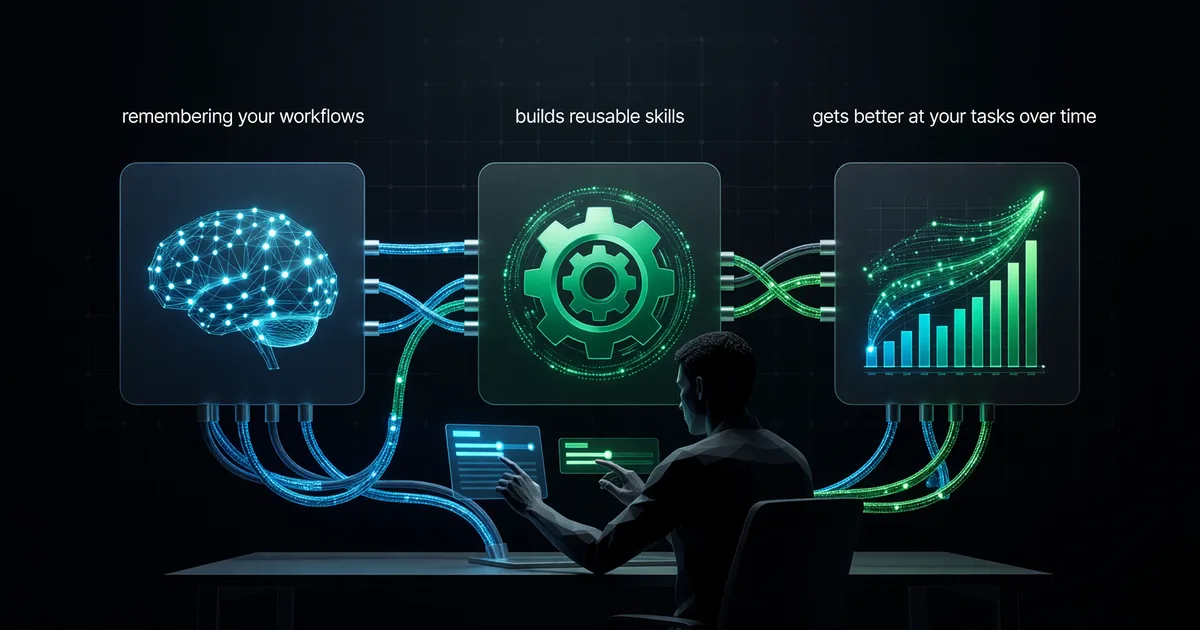
Install and configure Hermes Agent so it remembers your workflows, builds reusable skills, and gets better at your tasks over time.
Most AI agents forget everything the moment you close the tab. Hermes Agent doesn't. It remembers what you asked it to do last week, builds reusable skills from repetitive tasks, and genuinely gets better the more you use it. That's not marketing copy — it's the core architecture of a project that just hit 64,000 GitHub stars and is pulling users away from closed-source alternatives at a remarkable rate.
Hermes Agent, built by Nous Research, is an open-source AI agent framework designed around one idea: your agent should accumulate knowledge over time, not start from scratch every session. In this tutorial, I'll walk you through installing it on a $5 VPS, a local machine, or even a Raspberry Pi — then configuring the memory system, connecting models, and watching it build skills from your actual workflows.
What Makes Hermes Agent Different From Every Other Agent
You've probably tried agent frameworks before. AutoGPT, CrewAI, OpenClaw — they all let you chain LLM calls together. Hermes Agent does that too, but its three distinguishing features are what pushed it past 64k stars in early 2026:
- Persistent memory: Every interaction gets indexed into a local vector store. Ask it to research something on Monday, and on Thursday it remembers what it found — including the nuances and dead ends. No manual "save to notes" step required.
- Skill synthesis: When Hermes notices you've asked it to do something similar three or more times, it automatically proposes a reusable "skill" — a parameterized workflow it can execute faster next time. You approve or edit the skill, and it's stored permanently.
- Model-agnostic backbone: Connect any model — local Llama 3.3, Claude via API, GPT-5, Mistral, DeepSeek V4 — and swap them per task. Use a cheap model for memory retrieval, a powerful one for reasoning. The agent manages the routing.
The practical difference: After two weeks of regular use, my Hermes instance had 14 custom skills (email drafting, code review patterns, research templates) that cut my average task time roughly in half. No other open-source agent I've tested builds this kind of compound value.
Hardware Requirements (Lower Than You Think)
Hermes Agent itself is lightweight — it's the LLM backend that determines your hardware needs. Here's the breakdown:
| Setup | Hardware | Best For | Monthly Cost |
|---|---|---|---|
| $5 VPS (Hetzner/Contabo) | 2 vCPU, 4GB RAM | API-only models (Claude, GPT, DeepSeek) | $5–$10 + API costs |
| Local machine | 16GB RAM, any modern CPU | Small local models + API fallback | $0 + API costs |
| Local with GPU | RTX 3060+ (12GB VRAM) | Running 7B–13B models locally | $0 (electricity only) |
| Raspberry Pi 5 | 8GB model | Lightweight tasks, always-on assistant | ~$3 electricity/year |
If you're using API-based models (which I recommend for starting out), even a Pi can run Hermes Agent comfortably. The agent runtime itself uses about 200MB of RAM. The memory store grows over time but stays under 1GB for months of typical use.
Installation: Three Paths
Option A: Any Linux Machine or VPS (Recommended Start)
This works on Ubuntu 22.04+, Debian 12+, or any distribution with Python 3.11+. It's also the path for a $5 VPS.
First, install the prerequisites:
sudo apt update && sudo apt install -y python3.11 python3.11-venv git
git clone https://github.com/NousResearch/hermes-agent.git
cd hermes-agent
python3.11 -m venv .venv
source .venv/bin/activate
pip install -e ".[all]"
The [all] extras flag pulls in everything: the memory subsystem (ChromaDB by default), voice I/O libraries, image understanding, and the terminal executor. On a VPS where you don't need voice or image, use [core] instead to save about 400MB of dependencies.
Initialize your agent instance:
hermes init my-agent
cd my-agent
cp config.example.yaml config.yaml
That hermes init command creates a directory structure with folders for memory, skills, logs, and configuration. Everything is local files — no database server needed.
Option B: macOS / Windows
Same process, but use python3 (install via Homebrew on Mac or python.org on Windows). On Windows, WSL2 is strongly recommended over native — the terminal executor works better in a proper Unix environment.
Option C: Raspberry Pi 5
The Pi 5 (8GB) handles Hermes Agent well for API-backed tasks. Use Raspberry Pi OS (64-bit) and follow the Linux instructions above. One addition: set the memory store to use SQLite mode instead of ChromaDB to reduce RAM usage:
# In config.yaml
memory:
  backend: sqlite
  path: ./memory/store.db
This sacrifices some semantic search quality but keeps RAM under 300MB total.
Configuration: Connecting Your First Model
Open config.yaml. The most important section is models:
models:
  primary:
    provider: anthropic
    model: claude-sonnet-4-6
    api_key: ${ANTHROPIC_API_KEY}
  fast:
    provider: openai
    model: gpt-4.1-mini
    api_key: ${OPENAI_API_KEY}
  local:
    provider: ollama
    model: llama3.3:8b
    endpoint: http://localhost:11434
Hermes uses three model "slots" by default:
- primary: Your strongest model. Used for complex reasoning, multi-step planning, and skill creation. Claude Sonnet 4.6 or GPT-5 work well here.
- fast: A cheaper, faster model for memory retrieval queries, quick classifications, and routing decisions. GPT-4.1-mini or Haiku 4.5 are ideal.
- local: Optional. A locally-running model via Ollama for tasks where you want zero API costs or need offline capability.
Set your API keys as environment variables (don't hardcode them in the YAML):
export ANTHROPIC_API_KEY="sk-ant-..."
export OPENAI_API_KEY="sk-..."
For a minimal start, you only need primary configured. The agent falls back gracefully if the other slots are empty.
First Run: Watch the Memory System Work
Start the agent:
hermes runYou'll get an interactive terminal. Try something specific:
> Research the pricing plans for Linear, the project management tool.
  Summarize the differences between Free, Standard, and Plus tiers.
Hermes will break this into steps (you'll see them logged): formulate search queries, fetch results, extract pricing data, synthesize a summary. Standard agent stuff so far. Here's where it gets interesting — ask a follow-up the next day:
> What was the price difference between Linear's Standard and Plus plans?It pulls the answer from memory instantly. No new API calls to fetch the data again. Over time, this compounds — your agent builds a personal knowledge base from everything you've asked it to do.
The Skill System: Where It Gets Powerful
After using Hermes for a week, check your skills directory:
hermes skills listYou'll likely see suggested skills that the agent has drafted based on your patterns. For example, if you've asked it to summarize articles three times with similar instructions, it might propose:
Skill: article_summary
Trigger: "summarize [url]" or "tldr [url]"
Steps:
  1. Fetch article content
  2. Extract key points (max 5)
  3. Generate one-paragraph summary
  4. Note any data/statistics mentioned
Output format: Markdown with bullet points
You approve or edit it:
hermes skills approve article_summary
# or edit first:
hermes skills edit article_summary
Once approved, triggering that skill is instant — it doesn't need to "figure out" the approach each time. The difference in speed and cost is dramatic: a skill execution typically uses 60-70% fewer tokens than a from-scratch reasoning chain.
Creating Skills Manually
You don't have to wait for auto-detection. Define skills directly:
hermes skills create daily_standup \
  --trigger "standup" \
  --description "Generate my daily standup update" \
  --steps "1. Check git log for my commits since yesterday" \
           "2. Check my calendar for today's meetings" \
           "3. Format as: Done / Doing / Blocked"
Skills can call other skills, access memory, run terminal commands (with permission), and chain model calls. Think of them as agent-native automation scripts that get better as the memory context grows.
Terminal Integration: Let It Actually Do Things
By default, Hermes runs in "ask" mode for terminal commands — it proposes a command and waits for your approval. You can whitelist specific patterns:
# In config.yaml
terminal:
  mode: ask  # ask | auto | disabled
  whitelist:
    - "git status"
    - "git log *"
    - "ls *"
    - "cat *"
    - "python *.py"
  blacklist:
    - "rm -rf *"
    - "sudo *"
    - "curl * | sh"
With this setup, safe read-only commands execute automatically while anything destructive still requires your confirmation. Start conservative and expand the whitelist as you build trust.
Safety note: Never set mode: auto without a carefully considered whitelist/blacklist. An agent with unrestricted terminal access and a misunderstood instruction can do real damage. The default "ask" mode exists for good reason.
Voice and Image: Multimodal Capabilities
Hermes supports voice input/output and image understanding if you installed with [all]:
# Enable voice in config.yaml
voice:
  enabled: true
  stt: whisper-local  # or: deepgram, openai
  tts: piper          # or: elevenlabs, openai
  wake_word: "hey hermes"
With a microphone attached, you can talk to your agent hands-free. It's genuinely useful for quick queries while your hands are busy. Image understanding works through the primary model (if it's multimodal) — drop an image path into your query and Hermes sends it for analysis, storing the result in memory.
Running as a Background Service
For always-on operation (especially on a VPS or Pi), set up a systemd service:
[Unit]
Description=Hermes Agent
After=network.target

[Service]
Type=simple
User=yourusername
WorkingDirectory=/home/yourusername/my-agent
ExecStart=/home/yourusername/hermes-agent/.venv/bin/hermes run --daemon
Restart=always
Environment=ANTHROPIC_API_KEY=sk-ant-...

[Install]
WantedBy=multi-user.target
In daemon mode, Hermes exposes a local API (default port 7777) and accepts tasks via HTTP or the CLI from anywhere on your network:
hermes remote --host 192.168.1.50:7777 "summarize my unread emails"Limitations Worth Knowing
Hermes isn't perfect, and pretending otherwise would waste your time:
- Memory relevance decays. After ~10,000 entries, retrieval quality drops unless you periodically run
hermes memory compactto merge and prune. Better long-term memory architecture is in progress, but today it requires occasional maintenance. - Skill auto-detection is hit-or-miss. It sometimes proposes skills for things you only did twice coincidentally. Manual skill creation is more reliable for critical workflows.
- Documentation has gaps. The config.yaml has 200+ possible options and the docs, while improving fast, still leave some edge cases to GitHub Issues searches.
- Initial trust calibration takes time. New users expecting full autonomy are sometimes frustrated that it asks permission so often. This is deliberate — trust is earned gradually, just like with a new team member.
Hermes vs. the Competition
| Feature | Hermes Agent | OpenClaw | AutoGPT (2026) |
|---|---|---|---|
| Persistent memory | Built-in, automatic | Plugin-based | Limited |
| Skill learning | Auto-detected + manual | Manual only | No |
| Model flexibility | Any provider, per-task routing | OpenAI-focused | OpenAI-focused |
| Self-hosted | Yes (primary use case) | Cloud-first | Yes |
| Voice/multimodal | Yes | No | Limited |
| Community | 64k stars, very active | 28k stars | Declining |
Your First 24 Hours With Hermes
Here's what I'd do if I were starting fresh today:
- Hour 1: Install on whatever machine you have handy. Configure with Claude Sonnet as primary, GPT-4.1-mini as fast. Skip local models for now.
- Hours 2-4: Use it for three real tasks you'd normally do manually. Research a topic, draft an email, summarize a document. Don't optimize anything yet — just let the memory build.
- Hours 5-12: Come back and ask follow-up questions about earlier tasks. Notice how it remembers context. Try the same type of task again and see if it's already proposing a skill.
- Day 2: Check
hermes skills listand approve or edit what it suggests. Create one manual skill for your most repetitive task. Set up daemon mode if you want always-on access.
The payoff isn't instant — it's compound. By day 7, you'll have an agent that knows your work patterns better than any AI assistant you've used before. By day 30, it'll feel indispensable. That's what happens when an AI actually retains context across sessions instead of starting from zero every time.
Keep reading

How to Write With AI Without Sounding Like a Robot
Learn how to write with AI without sounding robotic. Master prompt engineering, the write-then-edit approach, voice preservation techniques, and tools like…
How to Build Your First AI Chatbot: A Beginner Guide
Build your first AI chatbot from scratch — no PhD required. This practical guide covers no-code tools, API options, and deployment for beginners.
Claude's Creative Connectors: Blender, Adobe, Ableton
Step-by-step: build 3D scenes in Blender, edit in Photoshop, produce in Ableton, model in Fusion — all from Claude chat prompts.