Playground AI
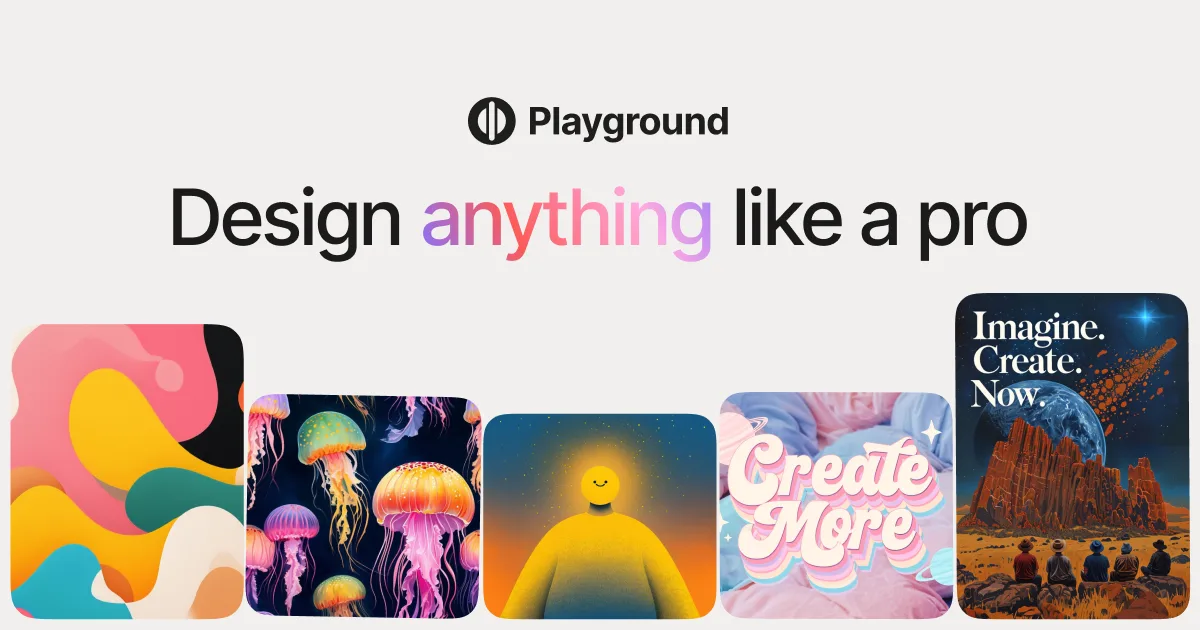
A beginner-friendly AI image platform combining multiple generation models with a built-in canvas editor for creating, editing, and upscaling images.
Updated 2026-05-01
Yes, within limits. Playground AI runs a free tier with paid plans above it.
Listed pricing: Free tier + from $12/mo.
Overview
Playground AI (now branded simply as Playground) is an image generation platform designed to lower the barrier to entry for AI art. It bundles multiple generation models — including its own proprietary model and access to Stable Diffusion variants — with a built-in canvas editor, so you can generate, inpaint, outpaint, and upscale images all in one place. It's the kind of tool that a marketing team can pick up in an afternoon without a prompt engineering bootcamp.
What sets Playground apart from more specialist tools is its focus on accessibility and volume. The free tier is genuinely usable, offering enough daily credits to experiment seriously, and the canvas editor provides layer-based editing with AI fill that works well for compositing and quick touch-ups. The community gallery doubles as a prompt library — you can remix other users' creations to learn what works.
The trade-off for all this accessibility is that Playground's output quality, while solid, doesn't match Midjourney's artistic polish or DALL-E 3's text rendering accuracy at the top end. It's strongest as a high-volume creation tool where speed and ease of iteration matter more than pixel-perfect final output.
Is Playground AI free?
Yes, within limits. Playground AI runs a free tier with paid plans above it.
What the free tier covers: Daily credits for image generation on the free plan.
Listed pricing: Free tier + from $12/mo.
Pricing on this page has not been re-verified. The entry was last edited on , and no separate pricing check has been run since. Treat the figures as a record of what was published then and confirm on the official site.
What the free tier leaves out
Read straight off the plan list below. Vendors move features between tiers, so check the current split before you pay.
- Pro $12/mo Unlimited generations, faster speeds, priority queue, no watermarks
- Enterprise Custom Team collaboration, API access, dedicated support, custom model fine-tuning
Playground AI pricing
| Plan | Price | What's included |
|---|---|---|
| Free | Free | Daily credits for image generation, standard speed, community features |
| Pro | $12/mo | Unlimited generations, faster speeds, priority queue, no watermarks |
| Enterprise | Custom | Team collaboration, API access, dedicated support, custom model fine-tuning |
Daily credits for image generation, standard speed, community features
Unlimited generations, faster speeds, priority queue, no watermarks
Team collaboration, API access, dedicated support, custom model fine-tuning
One plan carries no published number: Enterprise, recorded as “Custom”. Nothing is estimated in its place. The vendor's own pricing page is the only source for those figures.
Pricing on this page has not been re-verified. The entry was last edited on , and no separate pricing check has been run since. Treat the figures as a record of what was published then and confirm on the official site.
Is Playground AI worth it?
Worth it for Beginners and marketing teams who want to generate, edit, and upscale images without learning prompt engineering.
You can test that on the free tier before paying anything. The recorded trade-offs are listed below, and any one of them can settle the question on its own.
The 8.4/10 AI Score is an editorial read of published capability, price and shipping pace. Nobody here has hands-on hours with Playground AI. How we verify.
Worth it if
The strengths recorded against this entry.
- Generous free tier with enough daily credits for real experimentation
- Built-in canvas editor with inpainting and outpainting saves tool-switching
- Multiple model options let you pick the best fit for each project
- Community gallery works as a practical prompt learning resource
Not worth it if
Any one of these blocks your use case.
- Output quality trails Midjourney and DALL-E 3 at the top end
- Proprietary model options are less documented than open-source alternatives
- Canvas editor is capable but not as refined as dedicated tools like Photoshop
- Advanced features like fine-tuning are locked behind enterprise pricing
What sets Playground AI apart
- Multiple generation models, including a proprietary model and Stable Diffusion variants, in one platform
- Built-in layer-based canvas editor with AI inpainting and outpainting
- Community gallery doubles as a searchable prompt library with visible settings
- Free tier offers enough daily credits for real experimentation
Key features
Multi-Model Access
Choose from multiple AI models including Playground's proprietary model and Stable Diffusion variants. Switch between models to find the best fit for different styles and subjects.
Canvas Editor
A built-in layer-based editor with AI-powered inpainting, outpainting, and erasing. Edit specific regions of generated images without leaving the platform.
Image Upscaling
AI upscaler increases resolution while preserving detail, useful for taking generated images from web-quality to print-ready output.
Community Gallery
Browse and remix images shared by other users. Each image shows the prompt, model, and settings used, effectively creating a searchable prompt library.
How it compares
| Tool | Best for | Pricing | Score |
|---|---|---|---|
| Playground AI | Beginners and marketing teams who want to generate, edit, and upscale images without learning prompt engineering. | Free tier + from $12/mo | 8.4/10 |
| Midjourney vs Midjourney → | Creative professionals, illustrators, and concept artists who want the most visually striking, painterly, cinematic image output. | From $10/mo | 9.4/10 |
| FLUX.2 vs FLUX.2 → | Developers and production teams who need photorealistic, print-ready image generation with precise structural control, deployable via API or self-hosted open weights. | API ~$0.01-$0.05/image + free open weights | 9.2/10 |
| ChatGPT Images 2.5 | — | Free on ChatGPT with limits; API from $5/1M text in, $30/1M image out | 9.1/10 |



Compare head-to-head
Related reading

Anthropic Traced More Than 23 Million Exchanges
Anthropic attributed more than 23 million exchanges to Moonshot between May and July in its September 2026 threat intelligence report.

ChatGPT for Financial Services: What Shipped, Pricing & Who It's For
OpenAI launched a tailored ChatGPT Work experience for investment bankers and equity researchers with GPT-6 Astra, built-in PitchBook/Daloopa/LSEG data, citations, and sales-quoted pricing.

DeepSeek Flash KV Cache at 890 Bytes per Token
DeepSeek V4.1-Flash posts 90.6 on Terminal-Bench 2.1 against GPT-5.6 Sol at 88.8 while cutting KV cache to 890 bytes per token.
Ready to try Playground AI?
Head to the official site to start with Playground AI — pricing and plans are listed above.
Visit Playground AI