
DeepInfer Setup From DeepSeek's GitHub Drop
Get DeepSeek's open DeepInfer stack running from GitHub: the short install path, the breaks that stop you, and when to skip local inference.
You want DeepSeek's production inference stack on your own GPUs, and the web chat box will not get you there.
Pull DeepInfer from the public GitHub tree
DeepSeek published DeepInfer as its in-house inference framework, open for anyone to clone. The same announcement ties the code to the Flash serving path the company runs in production, with a public pitch of high throughput and low latency (per the DeepSeek announcement thread).
DeepInfer is an inference framework you wire to your own machines and model assets.
On October 20, 2026, the company also pointed the community at the companion deepseek-recipe material in the same release window. Treat recipe docs as adjacent packaging and examples. DeepInfer itself remains the inference core.
Shortest working path:
- Open the official repository at github.com/deepseek-ai/DeepInfer in a browser and confirm you are on the deepseek-ai org tree, not a fork.
- On the machine that will serve traffic, run
git clone https://github.com/deepseek-ai/DeepInfer.gitand thencd DeepInfer. - Open the repository README and any linked install docs in the repo root. Follow only the dependency and environment instructions printed there. The announcement thread does not publish an install matrix, so the repository documentation is the authority for packages, drivers, and language tooling.
- Create the environment those docs name and install requirements exactly as that file lists them.
- Treat the launch claim that this stack powers Flash at scale as scope only. For files on disk, complete every model-asset step printed in the official repository documentation, and ignore forum recipes that invent a parallel layout.
- Start the entrypoint the docs name for a local or networked server. Finish the first health check those docs describe before you change scale settings.
- Run the first-request check the repo documents. Confirm tokens return and the process stays healthy on your box before you point product traffic at it.
Stop after step seven works. Extra tuning flags belong in a second pass, after you have a green baseline.
If you only need the hosted product surface, you can leave this path entirely. The open stack matters when you care about your own hardware bill, offline constraints, or custom serving topology.
DeepInfer appeared on GitHub Trending in the same release window, which is useful as a discovery signal and useless as an install authority. Always clone from the deepseek-ai URL above.
DeepSeek’s launch post calls DeepInfer “fully open source” and says it is “Powering DeepSeek-V4.1-Flash at scale with high throughput and low latency.”
Use that sentence as scope, not as a benchmark card. The company has not packed third-party leaderboard numbers into the announcement text you can verify from that thread alone.
Catch the breaks that stop a clean install
First runs stall when the install authority drifts away from the deepseek-ai tree DeepSeek linked in the launch post.
Wrong tree or stale fork. Clone completes, but git remote -v points at a personal mirror, or the checkout diverges from the org page you opened in step one. Fix: delete the directory, clone again from https://github.com/deepseek-ai/DeepInfer.git, and verify the remote.
Announcement text treated as the install manual. The launch thread states the open-source drop and the production role. It does not list packages, drivers, or start commands. Fix: close the thread after you have the GitHub URL, then execute only steps written in the repository documentation.
Recipe docs pulled in too early. deepseek-recipe shipped in the same release window as DeepInfer. Mixing those pages into the DeepInfer process mid-install can fork you into a second dependency graph before the first server answers. Fix: finish DeepInfer’s own path, then open recipe docs only if you still need packaged workflows.
Looking for a consumer chat skin. DeepInfer is DeepSeek’s production inference framework. A successful first boot can leave you at a terminal with a listening process and no browser chrome. Fix: use the demo client or verification flow the repository documents, and stop hunting for the DeepSeek app UI on localhost.
Reading the launch pitch as a scorecard. Throughput and latency appear as goals in the announcement, and the company has not packed third-party leaderboard numbers into that thread. Fix: judge the first boot by the repository’s own health checks, not by a figure the launch post never printed.
DeepSeek’s stated aim for the release is helping the community cut compute cost and energy use while making AI more affordable. That goal statement leaves the install checklist to the repository documentation.
When the failure is undocumented in the repo, open a GitHub issue with the exact commit hash, GPU model, driver version, and the first stack frame. Vague “it crashed” reports bounce.
Skip DeepInfer when the hosted API fits
DeepInfer is the wrong tool when you have no plan to operate DeepSeek’s open production inference stack yourself, and you only need the Flash serving path DeepSeek already runs with that stack.
Pick DeepInfer when you must pin serving to hardware you control, chase the cost and energy goals named in the open-source pitch, run offline, or study the production stack behind Flash. Use DeepSeek’s existing Flash product access when you need answers without standing up that framework.
Skip the whole DeepInfer install when your workload already fits the hosted API on the website. The October 20 release still leaves that hosted path as the faster route for a single chat session.
Keep reading
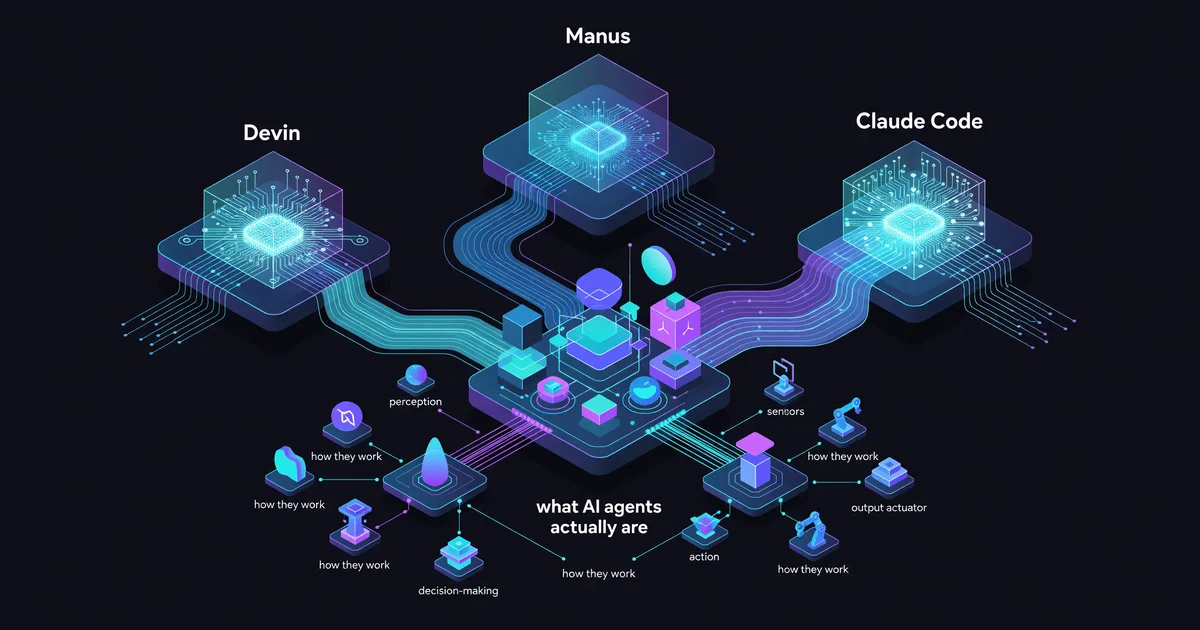
AI Agents Explained: What They Do and Why It Matters
Understand what AI agents are, how they work, and why they're transforming workflows. Learn about autonomous AI agents like Devin, Manus, and Claude Code.
Check if a photo, clip, or audio is AI with SynthID Detector
Upload the best-quality file to SynthID.com. Detected means a SynthID model likely made or edited it. Not detected does not prove a person made it.
AI Math Formalization Current Players
Anthropic Claude produced a 13-million-line Lean proof of Fermat's Last Theorem in 11 days. Survey of the main efforts and the missing piece.