
Zed
Rust-built code editor with native AI agents, edit prediction, and real-time collaboration — all at native speed that makes Electron editors feel sluggish.
Updated 2026-05-02
Yes. Zed is free to use.
Listed pricing: Free (open source) — BYOK for AI features.
Overview
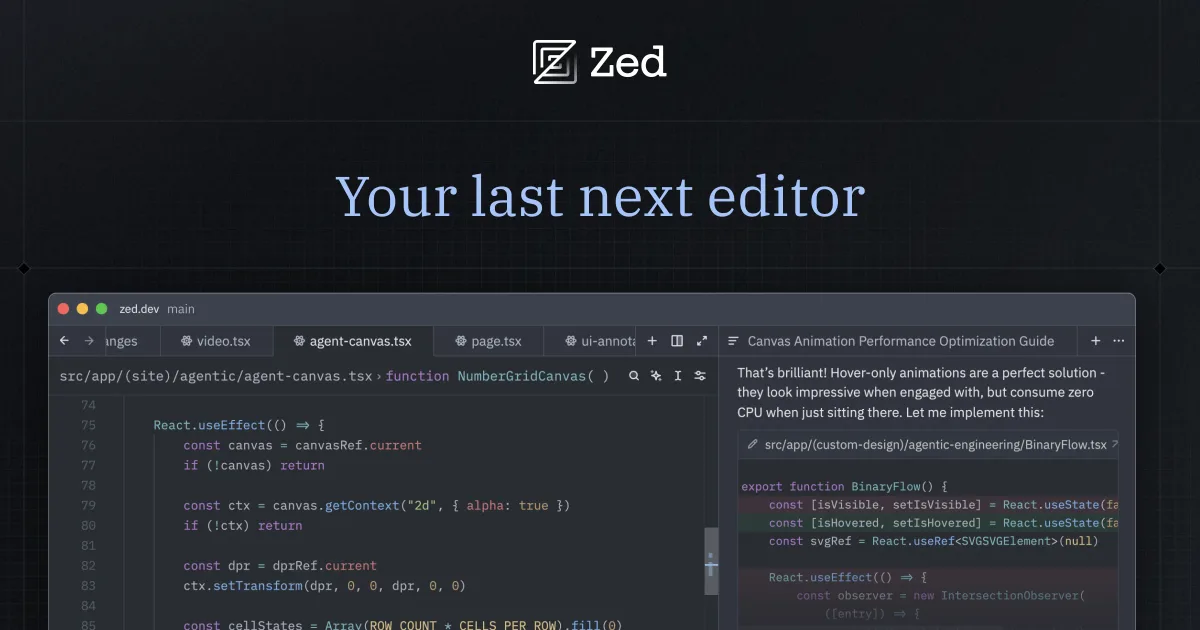
Zed is a high-performance code editor built from the ground up in Rust by the team behind Atom and Tree-sitter. It reached 1.0 in late April 2026 with a clear thesis: a code editor should feel instant, and AI should be a first-class citizen rather than a bolted-on extension. The result is an editor that launches in milliseconds, scrolls without jank, and treats AI agent workflows as core functionality.
The standout feature at 1.0 is Parallel Agents — you can spin up multiple AI agents working on different parts of your codebase simultaneously. While one agent refactors a module, another can be writing tests for a different file. Edit prediction goes beyond autocomplete: Zed anticipates multi-cursor edits, structural changes, and repetitive patterns before you type them. It feels less like tab-completion and more like the editor reading your mind.
Where Zed differs from Cursor and Windsurf is its BYOK (bring your own key) approach. There's no built-in AI subscription — you connect your own API keys from Anthropic, OpenAI, or other providers. This means you control costs and model choice directly, but it also means there's more setup friction compared to editors that bundle AI credits. The real-time collaboration features, inherited from the team's experience building Atom, are genuinely excellent — think Google Docs for code, with shared cursors and voice chat built in.
Is Zed free?
Yes. Zed is free to use.
What the free tier covers: Fully free and open source. AI features require your own API keys from model providers.
Listed pricing: Free (open source) — BYOK for AI features.
Pricing on this page has not been re-verified. The entry was last edited on , and no separate pricing check has been run since. Treat the figures as a record of what was published then and confirm on the official site.
What the free tier leaves out
Read straight off the plan list below. Vendors move features between tiers, so check the current split before you pay.
- AI Features BYOK Connect your own API keys from Anthropic, OpenAI, Google, or other providers. You pay providers directly at their rates.
Zed pricing
| Plan | Price | What's included |
|---|---|---|
| Zed Editor | Free | Full editor, extensions, collaboration, terminal, AI agent support — open source (GPL/AGPL) |
| AI Features | BYOK | Connect your own API keys from Anthropic, OpenAI, Google, or other providers. You pay providers directly at their rates. |
Full editor, extensions, collaboration, terminal, AI agent support — open source (GPL/AGPL)
Connect your own API keys from Anthropic, OpenAI, Google, or other providers. You pay providers directly at their rates.
One plan carries no published number: AI Features, recorded as “BYOK”. Nothing is estimated in its place. The vendor's own pricing page is the only source for those figures.
Pricing on this page has not been re-verified. The entry was last edited on , and no separate pricing check has been run since. Treat the figures as a record of what was published then and confirm on the official site.
Is Zed worth it?
Worth it for Developers who want a native-speed code editor with built-in AI agents and real-time collaboration, without being locked into a bundled AI subscription.
You can test that on the free tier before paying anything. The recorded trade-offs are listed below, and any one of them can settle the question on its own.
The 8.8/10 AI Score is an editorial read of published capability, price and shipping pace. Nobody here has hands-on hours with Zed. How we verify.
Worth it if
The strengths recorded against this entry.
- Exceptional speed — fastest modern code editor available, with sub-millisecond input latency
- Parallel agents let you run multiple AI tasks at once without blocking your workflow
- No AI subscription lock-in — use any model provider with your own API keys
- Built-in real-time collaboration with voice chat, no extensions needed
Not worth it if
Any one of these blocks your use case.
- Smaller extension ecosystem compared to VS Code-based editors like Cursor
- BYOK model means more setup friction — you need API keys before AI features work
- No Windows support yet — currently macOS and Linux only
- Fewer built-in language integrations than mature IDEs like JetBrains
What sets Zed apart
- Parallel AI agents work on different parts of the codebase at the same time
- BYOK model connects your own API keys instead of a built-in AI subscription
- Built-in real-time collaboration with shared cursors and voice chat, no extensions needed
- Written entirely in Rust with a GPU-accelerated UI for sub-millisecond input latency
Key features
Parallel AI Agents
Run multiple AI agents simultaneously across your codebase. Each agent operates independently — one can refactor a module while another writes tests or updates documentation. No waiting for sequential completions.
Edit Prediction
Goes beyond autocomplete to predict structural edits, multi-cursor changes, and repetitive patterns. Learns from your editing behavior within a session to anticipate what you'll do next.
Real-time Collaboration
Built-in multiplayer editing with shared cursors, project-wide navigation, and integrated voice chat. No extensions or third-party services needed — collaboration is part of the editor core.
Native Performance
Written entirely in Rust with a custom GPU-accelerated UI framework (GPUI). Sub-millisecond keystroke latency, instant file switching, and smooth scrolling even in massive files.
How it compares
| Tool | Best for | Pricing | Score |
|---|---|---|---|
| Zed | Developers who want a native-speed code editor with built-in AI agents and real-time collaboration, without being locked into a bundled AI subscription. | Free (open source) — BYOK for AI features | 8.8/10 |
| Cursor vs Cursor → | Professional developers handling complex, multi-file refactors who want AI built into a familiar VS Code-based editor. | Free Hobby + Individual $20/mo + Teams $40/user/mo + Enterprise Custom | 9.5/10 |
| GPT-5.5 vs GPT-5.5 → | Developers and teams needing a frontier reasoning model for agentic coding workflows and large-codebase context handling. | API: $5/$30 per 1M tokens (in/out). ChatGPT Plus $20/mo, Pro $200/mo | 9.4/10 |
| Claude Code vs Claude Code → | Developers who want an agent that works inside an existing repo and toolchain rather than in a hosted editor, and who already pay for a Claude plan. | Included with Claude Pro $17/mo, Max 5x $100/mo, Max 20x $200/mo, Team and Enterprise plans | 9.3/10 |


Learn to use Zed
Step-by-step, each one stamped with the date it was last checked against the docs.
Compare head-to-head
Related reading

Anthropic Traced More Than 23 Million Exchanges
Anthropic attributed more than 23 million exchanges to Moonshot between May and July in its September 2026 threat intelligence report.

ChatGPT for Financial Services: What Shipped, Pricing & Who It's For
OpenAI launched a tailored ChatGPT Work experience for investment bankers and equity researchers with GPT-6 Astra, built-in PitchBook/Daloopa/LSEG data, citations, and sales-quoted pricing.

DeepSeek Flash KV Cache at 890 Bytes per Token
DeepSeek V4.1-Flash posts 90.6 on Terminal-Bench 2.1 against GPT-5.6 Sol at 88.8 while cutting KV cache to 890 bytes per token.
Ready to try Zed?
Head to the official site to start with Zed — pricing and plans are listed above.
Visit Zed