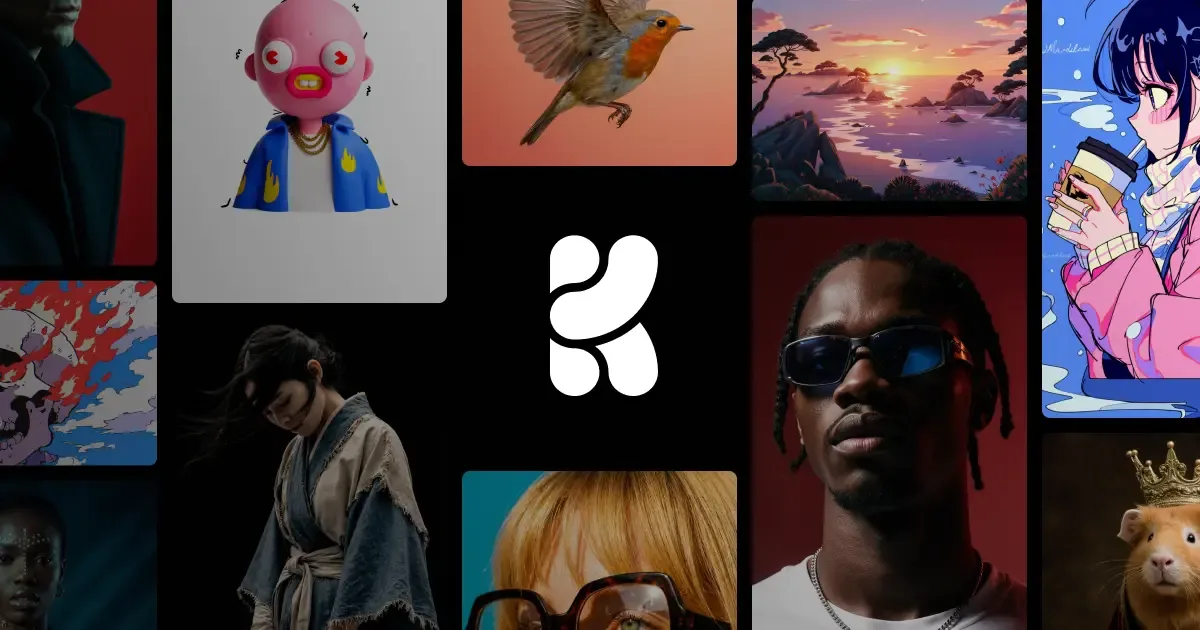

Krea AI
A real-time creative platform that generates and refines AI images, videos, and 3D assets interactively as you type and sketch.
Updated 2026-08-27
Yes, within limits. Krea AI runs a free tier with paid plans above it.
Listed pricing: Free tier + Basic $9/mo + Pro $35/mo + Max $105/mo + Business $200/mo + Enterprise Custom.
Overview
Krea AI takes a fundamentally different approach to image generation: instead of typing a prompt and waiting, you work on a live canvas where results appear and evolve in real time as you adjust your inputs. You can sketch rough shapes, drag reference images, tweak prompts, and watch the output shift instantly. It's closer to collaborating with an AI than issuing commands to one.
Beyond the signature real-time engine, Krea has expanded into video generation, 3D asset creation, and a suite of enhancement tools including upscaling, background removal, and style transfer. The platform is used by teams at Nike, Lego, and Microsoft, which speaks to its production readiness. A strong community gallery and shared styles add a social layer that helps new users find their footing quickly.
Where Krea stands out from traditional prompt-to-image tools like Midjourney or DALL-E is speed of iteration. Because you see changes live, you can explore dozens of directions in the time it takes to queue a single batch elsewhere. The trade-off is that peak image quality, while very good, doesn't quite match Midjourney's best outputs for final polished artwork.
Is Krea AI free?
Yes, within limits. Krea AI runs a free tier with paid plans above it.
What the free tier covers: $0 /month. 100 compute units / day. Access to Krea 2. No credit card required. Full access to real-time models. Limited access to image, video, 3D, and lipsync models. Limited access to image upscaling. Limited access to LoRA training.
Listed pricing: Free tier + Basic $9/mo + Pro $35/mo + Max $105/mo + Business $200/mo + Enterprise Custom.
Pricing verified . That is the date the plans were last re-checked against the vendor's own pages, not today's date. Confirm on the official site before you pay.
What the free tier leaves out
Read straight off the plan list below. Vendors move features between tiers, so check the current split before you pay.
- Basic $9 /month 5,000 compute units / month. Everything in Free plus: Commercial license. Full access to Image, 3D, and Lipsync models. LoRA fine-tuning with up to 50 images. Image upscaling up to 22K. Access to selected video models.
- Pro $35 /month 20,000 compute units / month. Everything in Basic plus: Access to all video models. Workflow automation with Nodes and Apps. AI-powered Nodes Agent. Bulk discounts on compute unit packs.
- Max $105 /month 60,000 compute units / month. Everything in Pro plus: Unlimited Lora fine-tunings with 2,000 files. Expanded concurrency and queueing. Unlimited relaxed generations. Bulk discounts on compute unit packs.
- Business $200 /month 80,000 compute units / month. Everything in Max plus: Access to Krea 2. Business Terms of Service. Up to 50 seats included. Share private Node Apps with your team. Train LoRAs with up to 20,000 images. Unlimited relaxed generations. Custom user roles and permissions. Fine-grained controls for model access.
- Enterprise Custom Everything in Business plus: Access to Krea 2. Custom Terms of Service. Priority support with SLA. Per-member spend limits. Slack connect. Custom compute packages. Unlimited relaxed generations. Audit logs.
Krea AI pricing
| Plan | Price | What's included |
|---|---|---|
| Free | $0 /month | 100 compute units / day. Access to Krea 2. No credit card required. Full access to real-time models. Limited access to image, video, 3D, and lipsync models. Limited access to image upscaling. Limited access to LoRA training. |
| Basic | $9 /month | 5,000 compute units / month. Everything in Free plus: Commercial license. Full access to Image, 3D, and Lipsync models. LoRA fine-tuning with up to 50 images. Image upscaling up to 22K. Access to selected video models. |
| Pro | $35 /month | 20,000 compute units / month. Everything in Basic plus: Access to all video models. Workflow automation with Nodes and Apps. AI-powered Nodes Agent. Bulk discounts on compute unit packs. |
| Max | $105 /month | 60,000 compute units / month. Everything in Pro plus: Unlimited Lora fine-tunings with 2,000 files. Expanded concurrency and queueing. Unlimited relaxed generations. Bulk discounts on compute unit packs. |
| Business | $200 /month | 80,000 compute units / month. Everything in Max plus: Access to Krea 2. Business Terms of Service. Up to 50 seats included. Share private Node Apps with your team. Train LoRAs with up to 20,000 images. Unlimited relaxed generations. Custom user roles and permissions. Fine-grained controls for model access. |
| Enterprise | Custom | Everything in Business plus: Access to Krea 2. Custom Terms of Service. Priority support with SLA. Per-member spend limits. Slack connect. Custom compute packages. Unlimited relaxed generations. Audit logs. |
100 compute units / day. Access to Krea 2. No credit card required. Full access to real-time models. Limited access to image, video, 3D, and lipsync models. Limited access to image upscaling. Limited access to LoRA training.
5,000 compute units / month. Everything in Free plus: Commercial license. Full access to Image, 3D, and Lipsync models. LoRA fine-tuning with up to 50 images. Image upscaling up to 22K. Access to selected video models.
20,000 compute units / month. Everything in Basic plus: Access to all video models. Workflow automation with Nodes and Apps. AI-powered Nodes Agent. Bulk discounts on compute unit packs.
60,000 compute units / month. Everything in Pro plus: Unlimited Lora fine-tunings with 2,000 files. Expanded concurrency and queueing. Unlimited relaxed generations. Bulk discounts on compute unit packs.
80,000 compute units / month. Everything in Max plus: Access to Krea 2. Business Terms of Service. Up to 50 seats included. Share private Node Apps with your team. Train LoRAs with up to 20,000 images. Unlimited relaxed generations. Custom user roles and permissions. Fine-grained controls for model access.
Everything in Business plus: Access to Krea 2. Custom Terms of Service. Priority support with SLA. Per-member spend limits. Slack connect. Custom compute packages. Unlimited relaxed generations. Audit logs.
One plan carries no published number: Enterprise, recorded as “Custom”. Nothing is estimated in its place. The vendor's own pricing page is the only source for those figures.
Pricing verified . That is the date the plans were last re-checked against the vendor's own pages, not today's date. Confirm on the official site before you pay.
Is Krea AI worth it?
Worth it for Designers and creative teams who want to iterate on images, video, and 3D assets live on a canvas instead of queuing single prompt batches.
You can test that on the free tier before paying anything. The recorded trade-offs are listed below, and any one of them can settle the question on its own.
The 8.6/10 AI Score is an editorial read of published capability, price and shipping pace. Nobody here has hands-on hours with Krea AI. How we verify.
Worth it if
The strengths recorded against this entry.
- Real-time canvas provides instant visual feedback as you create
- All-in-one platform covering images, video, 3D, and enhancement
- Very low barrier to entry with an intuitive visual interface
- Free tier lets you test the full workflow before committing
Not worth it if
Any one of these blocks your use case.
- Peak image quality slightly below Midjourney for final artwork
- Video and 3D features are still maturing compared to dedicated tools
- Free tier is restrictive with watermarks and low daily limits
- Less fine-grained prompt control than ComfyUI or Stable Diffusion workflows
What sets Krea AI apart
- Real-time canvas updates as you type prompts, sketch, or drag reference images
- Combines image, video, 3D, and enhancement tools (upscaling, background removal, style transfer) in one platform
- Free tier lets you test the full workflow before paying
- Faster iteration than prompt-and-wait tools, at the cost of some peak image quality
Key features
Real-time Generation
The canvas updates as you type prompts, sketch shapes, or drag reference images. Latency is sub-second, enabling a fluid creative workflow that feels more like painting than prompting.
Video & 3D
Generate short video clips and 3D objects from text or image inputs. Video supports motion controls and camera moves; 3D outputs can be exported for use in other tools.
Enhancement Tools
Built-in AI upscaler boosts resolution up to 4x, plus background removal, object eraser, and style transfer — no need to jump between separate apps.
Image-to-Image
Upload a reference image and guide the AI with prompts to create variations, apply new styles, or transform compositions while preserving structure.
How it compares
| Tool | Best for | Pricing | Score |
|---|---|---|---|
| Krea AI | Designers and creative teams who want to iterate on images, video, and 3D assets live on a canvas instead of queuing single prompt batches. | Free tier + Basic $9/mo + Pro $35/mo + Max $105/mo + Business $200/mo + Enterprise Custom | 8.6/10 |
| Midjourney vs Midjourney → | Creative professionals, illustrators, and concept artists who want the most visually striking, painterly, cinematic image output. | From $10/mo | 9.4/10 |
| FLUX.2 vs FLUX.2 → | Developers and production teams who need photorealistic, print-ready image generation with precise structural control, deployable via API or self-hosted open weights. | API ~$0.01-$0.05/image + free open weights | 9.2/10 |
| ChatGPT Images 2.5 | — | Free on ChatGPT with limits; API from $5/1M text in, $30/1M image out | 9.1/10 |



Compare head-to-head
Related reading
World Labs Atlas: A World Model You Steer With a Camera
World Labs introduced Atlas on September 1, 2026 as an omni world model for generation, reconstruction, and simulation. It is in early access with select partners. No public price or GA date.

Anthropic Traced More Than 23 Million Exchanges
Anthropic attributed more than 23 million exchanges to Moonshot between May and July in its September 2026 threat intelligence report.

ChatGPT for Financial Services: What Shipped, Pricing & Who It's For
OpenAI launched a tailored ChatGPT Work experience for investment bankers and equity researchers with GPT-6 Astra, built-in PitchBook/Daloopa/LSEG data, citations, and sales-quoted pricing.
Ready to try Krea AI?
Head to the official site to start with Krea AI — pricing and plans are listed above.
Visit Krea AI